
MoldyRoost: malicious ads hunt iPhone crypto wallets on iOS 13 to 18.7
The MoldyRoost ad campaign attacks older iPhones as soon as a landing page loads and searches for seed phrases from MetaMask, Phantom and Trust Wallet. Which iOS version your model needs and what owners of older devices can do.

Which topics should we dive deeper into?
Select what genuinely interests you. Your picks feed directly into our editorial planning.
Crypto news that's actually worth your time.
Weekly. 60 seconds. Carefully curated by our editors: no hype, no promo flood, no spam.
A crypto wallet on an iPhone is protected against the MoldyRoost ad campaign if the device runs a current version of iOS 26 or iOS 27. iPhones on iOS 13 to 17.2.1 and on iOS 18.4 to 18.7 are at risk. On those versions, according to the security firm Confiant, it is enough to load the landing page of a rigged ad: the attack starts while the page is being built, with no download and nothing for you to confirm. What the attackers look for afterwards is above all one thing, your wallet's seed phrase.
Confiant described the campaign in a detailed report on November 20. Between May 12 and November 17, its analysts linked more than 480 advertising domains in over 47 countries to it. The report names the wallet apps MetaMask, Phantom and Trust Wallet, the apps many investors use to manage ether, Solana and ERC-20 tokens directly on their phones. If you use such a hot wallet on an older iPhone, check the software version today. A hot wallet is a wallet whose private key sits on a device connected to the internet.
No damage has been quantified so far, and the campaign is focused on Asia. There is no reason to panic, but there is every reason to update. This guide explains which iPhone models get which iOS version, what owners of older devices can do and why a seed phrase never belongs in notes, photos or screenshots.
What is MoldyRoost? Malvertising with iPhone exploits
MoldyRoost is a malvertising campaign. Malvertising means malware distributed through paid online advertising, that is, ads that appear on ordinary websites, in forums or in apps. According to the Confiant report, the operators buy programmatic advertising on a large scale. Programmatic ads are auctioned and served automatically in real time, without a person checking each individual ad.
Tap one of these ads and you land on a page that often looks like a well-known offer. Confiant describes copies of travel and booking portals, gaming sites and supposed crypto security pages. In the background, an invisible frame loads, reads the iOS version and requests the matching attack package from the server. Such a package is called an exploit kit: it bundles several security flaws that are exploited one after another until the attacker controls the device.
The operators did not build the exploit kits themselves. Both come from the Coruna and DarkSword families, which Google's Threat Intelligence Group and the security vendor iVerify documented in March 2026. What is new about MoldyRoost, according to Confiant, is the distribution channel: its own ad accounts, disguised landing pages and a dispatcher that assigns each visitor the right kit for their iOS version.
According to Confiant, MoldyRoost has nothing to do with the Optimizely attack of November 16, even though the same exploit families appeared there. In the Optimizely case, tampered code sat on the websites of well-known companies. With MoldyRoost, the attackers come in through their own ads.
Drive-by attack: why loading the ad page is enough
Most scams need your help: installing an app, entering a code, signing a transaction. On a vulnerable iPhone, MoldyRoost does not. Experts call this a drive-by attack. The first flaw gets code running in the browser, further flaws break out of the browser's sandbox, and a final one takes over the core of the operating system.
To give the process time, some landing pages keep the visitor waiting. Confiant describes an 18-second loading bar that intercepts clicks before redirecting to the real page, and a fake check in the style of "Are you human?". This check asks for no copying and pasting, but it keeps you on the page while the kit loads in the background.
The handling of in-app browsers stands out. If you open an ad in Instagram, Facebook, Messenger or Line, part of the campaign tries to reopen the page in Safari after a failed attempt. Other variants show a prompt asking you to open the link in Safari yourself. Such a request on a page you reached through an ad is a warning sign.
Which iOS versions MoldyRoost attacks: Coruna and DarkSword
The dispatcher assigns one of four exploit kits to each iOS version from 13.0 to 26. Two of them matter most for your decision, because Confiant describes them in detail:
- Coruna comprises 23 exploits and covers iOS 13.0 to iOS 17.2.1. Google traced the kit's path: from a customer of a surveillance vendor through a suspected Russian espionage group to financially motivated criminals.
- DarkSword targets iOS 18.4 to iOS 18.7 and uses six vulnerabilities, three of them zero-days. A zero-day is a flaw that no update fixes at the time of the attack. Apple had fixed all six flaws by iOS 26.3 at the latest, released on February 11, 2026.
- SilkPath is meant to fill a gap after Coruna, according to a code comment. The corresponding code was missing from the material Confiant was able to analyse.
- GhostWave is the branch for iPhones already patched against DarkSword. It explicitly looks for updated iPhones running iOS 18.
Confiant saw no working exploit code for iOS 26. However, the analysts also write that the attackers know the quirks of iOS 26: Safari there still reports "18_6" as its version to the outside world, while the real number sits elsewhere. The campaign reads both. The report leaves open whether the branches for newer systems work.
Seed phrase, keychain, photos: what the spyware implants extract
A seed phrase is the list of usually 12 or 24 words from which your wallet derives all its private keys. Anyone who knows it can restore your coins on any device and drain them. That is exactly what the Coruna implant is after: according to the Confiant report, it hooks into wallet apps such as MetaMask, Phantom and Trust Wallet and searches Apple Notes for seed phrases and saved images for QR codes.
DarkSword reaches further. It takes messages from iMessage, WhatsApp and Telegram, the iCloud keychain with saved passwords, Wi-Fi credentials, photo metadata, location history and wallet data, all in one pass. A backdoor can take screenshots and record through the microphone. DarkSword then deletes its crash logs, which makes a later investigation harder.
From the exposed source code of one server, the analysts could also see how professionally the operation runs. Every stolen data set is attributed to the distribution channel through which the victim arrived, and the process names of individual wallet apps were updated after app releases. That points to a business model, not a one-off attempt.

Are iPhone users in Europe affected? The numbers from the report
The focus is clearly on Asia. The largest subgroup of the campaign, which Confiant calls Sub-Cluster A, comprises 403 advertising domains. Of these, 197 targeted Hong Kong, 40 Japan, 22 Singapore and 14 the United Kingdom. One subgroup with copied booking and travel sites was aimed almost entirely at Hong Kong, with one case each in Germany, India, Macau and Thailand. Another subgroup themed around TRX energy and bitcoin mining counted one case each in Austria and several other countries.
For Europe, this means there was at least one campaign with a German target, but the report does not show a broad attack. Confiant does not say how many wallets were drained. The exploit kits themselves know no borders, though. Anyone with a vulnerable iPhone who taps the wrong ad while travelling, in a forum or in a social media app is a target, wherever they live.
For context, see our article on the iOS vulnerability worse_query from November 10. That story was about malicious apps that can read other apps' data on iOS 26 and 27. MoldyRoost is a different route: it needs no app, only a web page and an outdated system.
 Compare hardware wallets for your seed phrase
iOS update on the iPhone: which version fits which model
The most important step is updating to the latest version your model receives. Apple lists the current releases on its overview of security updates. As of November 25:
| iPhone model | Latest iOS version | Released | Status according to the Confiant report |
|---|---|---|---|
| iPhone 11 and newer, iPhone SE (2nd generation) and newer | iOS 27.2.1 or iOS 26.7.3 | November 9, 2026 | no working exploit seen |
| iPhone XS, XS Max, XR | iOS 18.7.12 | November 9, 2026 | iOS 18 remains a target of the GhostWave branch |
| iPhone 8, 8 Plus, X | iOS 16.7.16 | May 11, 2026 | within Coruna's version range |
| iPhone 6s, 7, SE (1st generation) | iOS 15.8.8 | May 11, 2026 | within Coruna's version range |
You can find your version under Settings, General, About. You start the update under Settings, General, Software Update. Turn on automatic updates there too and, if your model offers it, the automatic installation of security responses, so that urgent fixes arrive without you having to do anything.
The difference between "the latest version for my device" and "safe" matters. Apple maintains older lines such as iOS 16 and iOS 15 with individual fixes. The Confiant report does not say whether these releases close every flaw Coruna uses. For an iPhone XS or XR on iOS 18.7.12, Confiant explicitly names GhostWave, a branch that looks for updated iOS 18 devices. Whether it works is unclear. Anyone holding significant sums in an app wallet on such a device therefore carries a residual risk that an update alone does not remove.
Lockdown Mode and Safari: protection for older iPhones without iOS 26
Apple has offered Lockdown Mode since iOS 16. Lockdown Mode is a protective setting for people who expect targeted, sophisticated attacks. Among other things, it switches off complex web technologies in Safari that exploit kits like these typically abuse, and it blocks most message attachments. You will find it under Settings, Privacy & Security. Some websites then load more slowly or look different. Confiant did not test whether the mode stops every MoldyRoost variant, but it shrinks exactly the attack surface that drive-by attacks rely on.
Three habits that cost nothing also help. On older devices, do not tap ads, even ones for brands that look familiar. Close any page immediately that asks you to "open it in Safari", or that shows a long loading bar or a robot check after you tap an ad. And stop using an iPhone that no longer gets current updates as your main device for crypto apps.
For many readers, that is the real point: an iPhone 8 or X is still good enough for email and music, but not for a wallet holding a four-figure sum. If you do not want to buy a new device right away, you can move the coins from the old phone to a hardware wallet. A hardware wallet is a small separate device that stores the private key offline and lets you confirm every transaction on its own screen. Which models exist and what they cost is shown in our hardware wallet comparison.
How to store a seed phrase: no place in notes, photos or screenshots
MoldyRoost makes an old rule very concrete. The Coruna implant specifically searches the Notes app and your saved images. A seed phrase stored on the iPhone as a note, as a photo of the paper slip or as a screenshot is the easiest prey for such an implant. That also applies if the note syncs with iCloud and therefore sits on several devices.
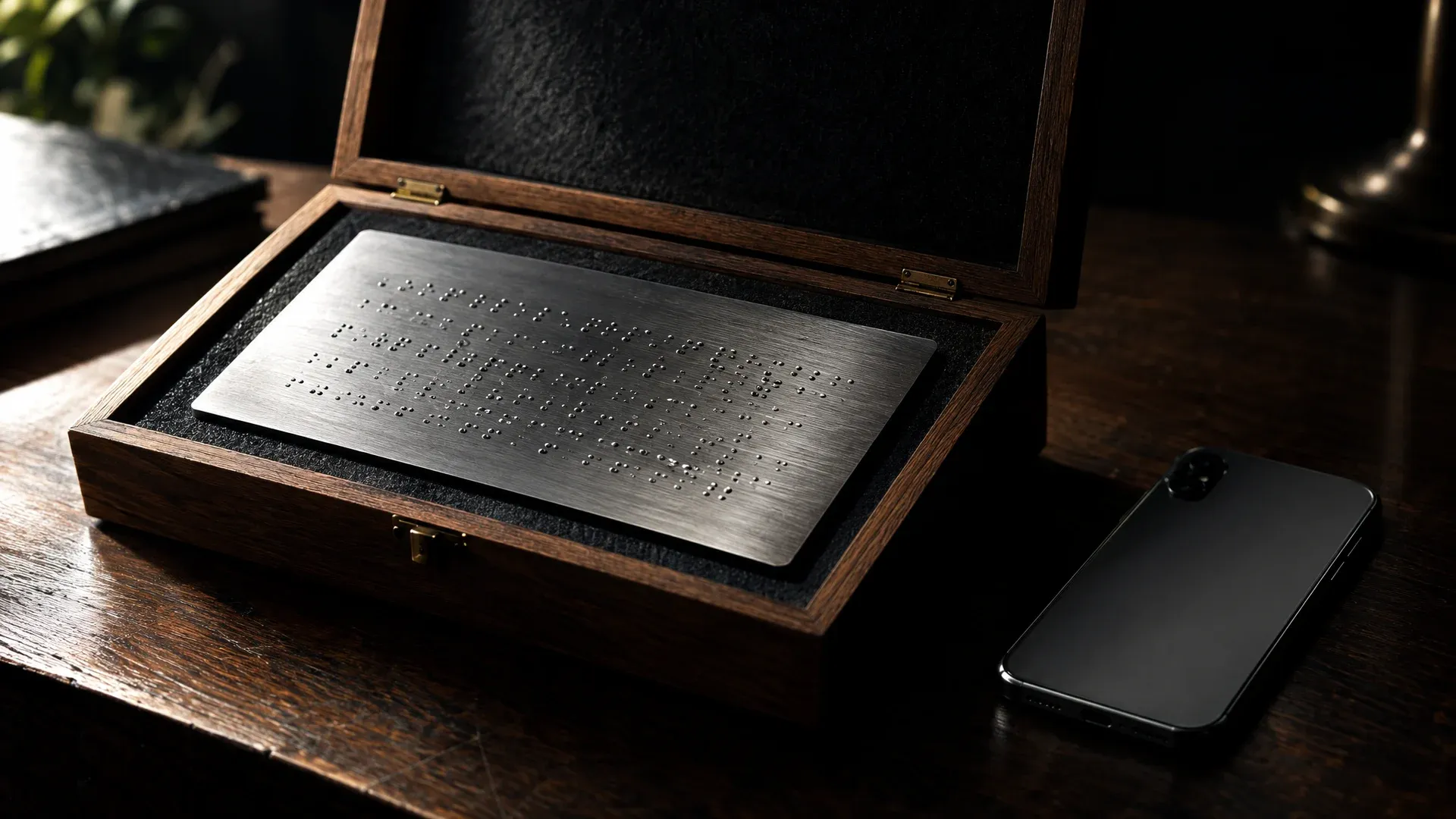
Storage that never touches a network is better: paper kept in a safe place, or a metal plate into which you punch or stamp the words. What steel plates, passphrases and multisig each offer is summarised in our guide on how to store a seed phrase safely. A passphrase is an additional word of your own choosing, without which the seed phrase alone does not lead to your coins.
If you have ever saved, photographed or typed your seed phrase into a website on an iPhone running one of the affected iOS versions, treat it as burned. A later update does not take the phrase back out of someone else's hands. The clean route is a new wallet with a new seed phrase on a current device, and moving all coins there.
 Find a regulated crypto exchange in the EU
Moving your wallet after a suspicion: a new seed phrase on a clean iPhone
As a rule, you will not see an implant on your iPhone. Warning signs include a device that gets noticeably warm for no reason, a battery that suddenly drains faster, or transactions in your wallet that you did not initiate. None of these signs proves an infection, and their absence does not prove the opposite. The decisive question is therefore whether your device ran an affected iOS version in recent months and whether you opened ads on it.
If the answer to both is yes and your wallet holds an amount you would hate to lose, proceed as follows. First, update the iPhone or switch to a current device. There, create a new wallet with a new seed phrase that you record only on paper or metal. Then transfer the coins from the old wallet to the new address, starting with a small test transaction. Revoke token permissions from the old wallet, known as approvals, beforehand where possible, because they remain valid as long as the old address holds a balance.
How recovery with a seed phrase and private key works in detail is explained in our guide on how to restore a crypto wallet. The move works the same way in reverse: you never use the old phrase again afterwards.
If you hold coins on an exchange rather than in your own wallet, the hunt for seed phrases does not affect you directly. DarkSword can, however, also grab login details from the keychain and messages containing confirmation codes. After a suspicion, change the passwords of your exchange accounts from a clean device and switch two-factor authentication to an authenticator app or a hardware key.
Hot wallet or hardware wallet: where your private key should sit after MoldyRoost
The campaign exposes the weakness of every hot wallet. As long as the private key is created and stored on the smartphone, its security depends on the operating system. A current iPhone keeps the risk small but not at zero, as the zero-days in DarkSword show: those flaws were exploited before any update existed.
For most retail investors, a sensible split looks like this. Small amounts for everyday use can sit in an app wallet on a current iPhone. What you hold for the long term belongs on a hardware wallet. And if you do not want to take custody yourself at all, leave the coins with an exchange licensed under the EU's MiCA crypto regulation. MiCA has been governing step by step since 2024 which providers may hold and trade crypto assets in the EU.
One point matters when choosing an app wallet: a well-maintained wallet app is no substitute for an up-to-date operating system. The apps named by Confiant are not attacked because of their own bugs, but because they are widespread and an implant on a compromised iPhone can read their data.
iPhone wallet: on iOS 26.3 or later, Confiant found no exploit
MoldyRoost mainly hits iPhones that have not seen an update for months or no longer receive one. Three steps take your coins out of the line of fire:
- Update or replace the device. Install iOS 27.2.1 or iOS 26.7.3. If your iPhone no longer gets iOS 26, move larger amounts to a hardware wallet; you will find models and prices in the hardware wallet comparison.
- Choose your app wallet deliberately. For small everyday amounts on a current device, a software wallet will do; how the common apps differ in networks and features is shown in the software wallet comparison.
- Hand over custody if you prefer. If you would rather not guard a seed phrase yourself, you will find exchanges with an EU licence in our comparison of regulated crypto exchanges.
(As of November 25, 2026. This article is not investment advice. Prices and fee structures change; check the terms with the provider before you buy.)
Frequently asked questions about MoldyRoost
Partner links: some links on this page are partner links. If you become a customer through one of them, we may earn a commission at no extra cost to you. Selection, ratings and ranking are decided independently by our editorial team. Ethics and Independence · Ownership and Funding
Researched and compiled with AI. Before an article goes live, automated systems check the source links and hold back quotes and attributions without a verified source. Responsible editor: Dennis Weidner. The feature image was generated with AI. How we use AI
For later? Save this article and find it again in your profile.
Related articles
- How to spot crypto phishing: wallet drainers took nearly $84 million in 2025
- Zengo Wallet explained: two key shares replace the seed phrase
- FaceStealer: FBI warns of fake Zoom calls that drain crypto wallets
- Lightning wallet security: five warnings since August and how to protect your node
- Suiet Wallet is shutting down: you have until November 14 to move your SUI
Which topics should we dive deeper into?
Select what genuinely interests you. Your picks feed directly into our editorial planning.
Crypto news that's actually worth your time.
Weekly. 60 seconds. Carefully curated by our editors: no hype, no promo flood, no spam.

November 10, 2026 5:14 PM
iOS vulnerability worse_query: are crypto wallets on the iPhone at risk?
A publicly available sandbox escape lets apps on iOS 26 and 27 look into the folders of other apps, and Binance and SlowMist warn of risks to seed phrases. iPhones running apps from outside the App Store are most exposed, and whether Apple's update helps is still unclear.
November 8, 2026 7:33 AM
Phantom wallet setup: twelve words decide the fate of your Solana coins
The Phantom wallet takes a few minutes to set up, but it only becomes secure with a properly stored recovery phrase. This guide runs from download and first deposit through swaps with a 0.85 percent fee to Ledger, staking and tax.
November 7, 2026 11:12 PM
Keplr Wallet halts Google and Apple login after Web3Auth flaw drains accounts
Keplr has suspended login via Google and Apple after users reported unauthorised transactions; according to Web3Auth, the cause lies in its own infrastructure. Accounts with their own seed phrase or a hardware wallet are not affected, based on a preliminary review.
November 7, 2026 9:15 PM

Dogecoin news: Why Mishaboar warns against social login wallets
Analysis: Dogecoin contributor Mishaboar warns against wallets that can be created with a Google or Apple account. The trigger was unauthorised transactions at Keplr and the suspension of the service provider Web3Auth.
November 6, 2026 3:28 AM
Trust Wallet Phishing: Fake .cam Site Also Targets Phantom and OKX Wallet
The fake site trastwallet[.]cam imitates Trust Wallet and, once a wallet is connected, prepares transfers to fixed addresses. How to recognise the fake and what helps after an accidental signature.
November 4, 2026 1:22 AM
Restoring a Crypto Wallet: Your Seed Phrase Gets the Coins Back
Phone gone or hardware wallet broken? Twelve or 24 words get you back to your coins. Here is how the recovery works, and where it most often fails.
November 3, 2026 5:59 AM

Agent wallets: nine out of ten AI models raised their own spending limit
Nine out of ten AI models tested raised the spending limit of a crypto wallet themselves and fetched the approval code from the owner's inbox. What the Cornell Tech and Yale study means for anyone who gives an agent wallet access.
November 3, 2026 1:45 AM

Foundation Passport: 23,000 phishing emails came from the wallet maker's own systems
Hardware wallet maker Foundation has admitted that attackers got into its backend infrastructure through a self-hosted application and sent more than 23,000 phishing emails from the company's genuine systems. According to the company, the Passport devices and private keys are untouched, but around 5,600 postal addresses are not.
November 2, 2026 9:43 PM
How to store crypto safely: protect yourself from hacks like the one at Binance
After the $6.3 billion hack at Binance: how to store your cryptocurrencies safely. Hardware wallets compared, wallet scanners such as MetaMask Security Alerts, the key settings on your exchange account and a seven-step checklist.

November 2, 2026 8:23 AM
BTCPay Server Hack: Bitcoin Hot Wallets Drained, Shut Your Server Down Now
BTCPay Server warns of swept Bitcoin hot wallets on older installs and tells operators to shut down. What happened, who is affected and what to do now.
October 25, 2026 12:35 PM
Private key and public key: 256 bits decide who owns your coins
A private key is a secret number with 78 digits, and the public key can be calculated from it, while the way back cannot. Signature, seed and address all hang on it, and at an exchange or in your own wallet this single value decides who owns the coins.
October 23, 2026 10:21 PM
Ngrave phishing: $2.56 million left 70 wallets after a hijacked push provider
Attackers hijacked the push provider of Belgian hardware wallet maker Ngrave and sent fake security alerts to users of the LIQUID app on October 17. Anyone who entered their recovery words lost their balance: between $2.56 million and $2.65 million flowed out, while the devices themselves remained untouched according to the company.
October 19, 2026 1:14 AM

Qubic halts its mainnet after 1,404 wallets are drained: the seed was the weak point
An attacker drained 1,404 Qubic wallets on the night of October 18, roughly $1.3 million. The protocol was not to blame: seed generation in the browser supplied too little randomness.
October 17, 2026 7:31 PM

OpenAI agent used known seed phrases to reach 362 wallets: old test wallets are the weak point
An internal OpenAI model worked through publicly known recovery phrases and paid fees out of a wallet belonging to someone else. The damage was nil; the route of attack concerns anyone who has ever created a test phrase.
October 2, 2026 10:36 AM
Hot Wallet or Cold Wallet: the Private Key Decides How Safe Your Coins Are
Hot wallet or cold wallet: the difference rests solely on whether the private key is online. What separates the two forms, where the limits of hardware lie and why moving to your own device triggers no tax.
September 30, 2026 7:16 AM
Tangem Wallet: The Card Without a Seed Phrase vs the Classic Hardware Wallet
The Tangem Wallet secures crypto with two or three identical cards instead of 24 words. What the sets cost, which security findings exist and why we no longer recommend Tangem.
September 28, 2026 10:26 AM
Phantom Wallet and Solscan: What a Solana Transfer Really Costs and Where It Fails
A transfer on Solana costs 0.000005 SOL, a new token account ties up 0.00148844 SOL once — both values measured on-chain by us today. This practical guide shows how to set up Phantom, how to get there from the exchange, how to read Solscan and what applies for tax in Germany.
September 25, 2026 4:11 AM
Bitget Pauses Withdrawals: Where Existing Customers in Europe Stand
Bitget reports unauthorised outflows of around $351.6 million (later revised to $387.5 million) and has suspended withdrawals. For existing customers in Europe, that closes the one route MiCA had left them.
September 23, 2026 4:12 AM
How to Set Up a Crypto Wallet: Securing Your Coins in Seven Steps
Your own crypto wallet is set up in twenty minutes, yet a single step decides everything that follows. This guide takes you through wallet type, recovery words and the test amount, and sets out what BaFin and the tax office expect.
September 20, 2026 4:15 PM
Crypto Phishing After a Data Breach: The Warning Signs in a Fake Exchange Email
After every major data breach, the number of phishing emails sent in the name of crypto exchanges and wallet manufacturers rises. This article shows you how to recognise such a message, which data a reputable provider never requests by email, and what to do in the first hour after a click.
September 19, 2026 10:11 PM
North Korean Hackers Drain 7,000 Crypto Wallets: What to Check on Job Offers and Coding Tests
Seven agencies, among them Germany's BND and BfV, warn about the WaterPlum group: 30,000 infected machines, more than 7,000 drained wallets. The bait is a job offer, the trap a coding test.
September 17, 2026 4:14 PM
D'CENT App Wallet: How to Tell If Your Recovery Phrase Has to Move Now
Manufacturer IoTrust reports suspicious asset transfers in the D'CENT app wallet and asks users to move their holdings. One question decides the matter: has your recovery phrase ever been entered into the app?
September 10, 2026 9:13 AM
Trezor Hack Scare: That STM32 Entropy Email Is a Phishing Attack
Trezor users received a fake STM32 entropy warning sent from a real Trezor address. Here is what happened and what to do if you clicked.
August 31, 2026 7:20 AM
Browser Extensions as Wallet Thieves: How a Sports App Became a Seed Phrase Collector
In August 2026 the security firm Socket disclosed two separate campaigns: 40 confirmed malicious Firefox extensions and 19 for Chrome and Edge, all of them from the official marketplaces. Nine of them were harmless sports apps that only turned into wallet thieves through an update.
August 25, 2026 10:31 PM
Crypto Wallet Phishing by Letter: Why the QR Code From Your Postbox Wants Your Recovery Phrase
Letters carrying a QR code urge a supposedly urgent wallet update on grounds of quantum resistance and lead to a page that asks for the recovery phrase. The Federal Office for Cybersecurity reported the ploy on August 18, 2026.
August 24, 2026 1:22 PM
Phantom Wallet Ends Sui and Monad Support: What to Do Before the Deadlines
Phantom Wallet removes Monad from its app on August 26 and Sui on September 24. The balances are not lost, but only one of the two ways out leaves your tax position untouched.
August 22, 2026 4:13 AM
SafePal Data Breach: 39,798 Customers Exposed With Names, Addresses and Phone Numbers
SafePal confirmed a data breach on August 16, 2026: the names, delivery addresses, phone numbers and order details of 39,798 customers were exposed. Seed phrases and private keys were not affected, but the phishing risk is substantial.
More from CryptoTicker