
How to store crypto safely: protect yourself from hacks like the one at Binance
After the $6.3 billion hack at Binance: how to store your cryptocurrencies safely. Hardware wallets compared, wallet scanners such as MetaMask Security Alerts, the key settings on your exchange account and a seven-step checklist.



Which topics should we dive deeper into?
Select what genuinely interests you. Your picks feed directly into our editorial planning.
Crypto news that's actually worth your time.
Weekly. 60 seconds. Carefully curated by our editors: no hype, no promo flood, no spam.
Storing crypto safely has, since October 29, 2026, mainly meant one thing: knowing who holds the keys to your coins. That evening, according to the exchange, around $6.3 billion flowed out of Binance; Chainalysis counts $6.4 billion. It is the biggest crypto hack in history, and the trail leads to North Korea. Binance is covering its customers' losses. If you hold your coins yourself, you do not depend on such promises, but you bear the responsibility yourself. This is how to secure your cryptocurrencies: with a hardware wallet, a wallet scanner and the right settings on your exchange account.
Key points at a glance
- Binance hack: around $6.3 billion according to Binance, $6.4 billion according to Chainalysis, drained on the evening of October 29, 2026.
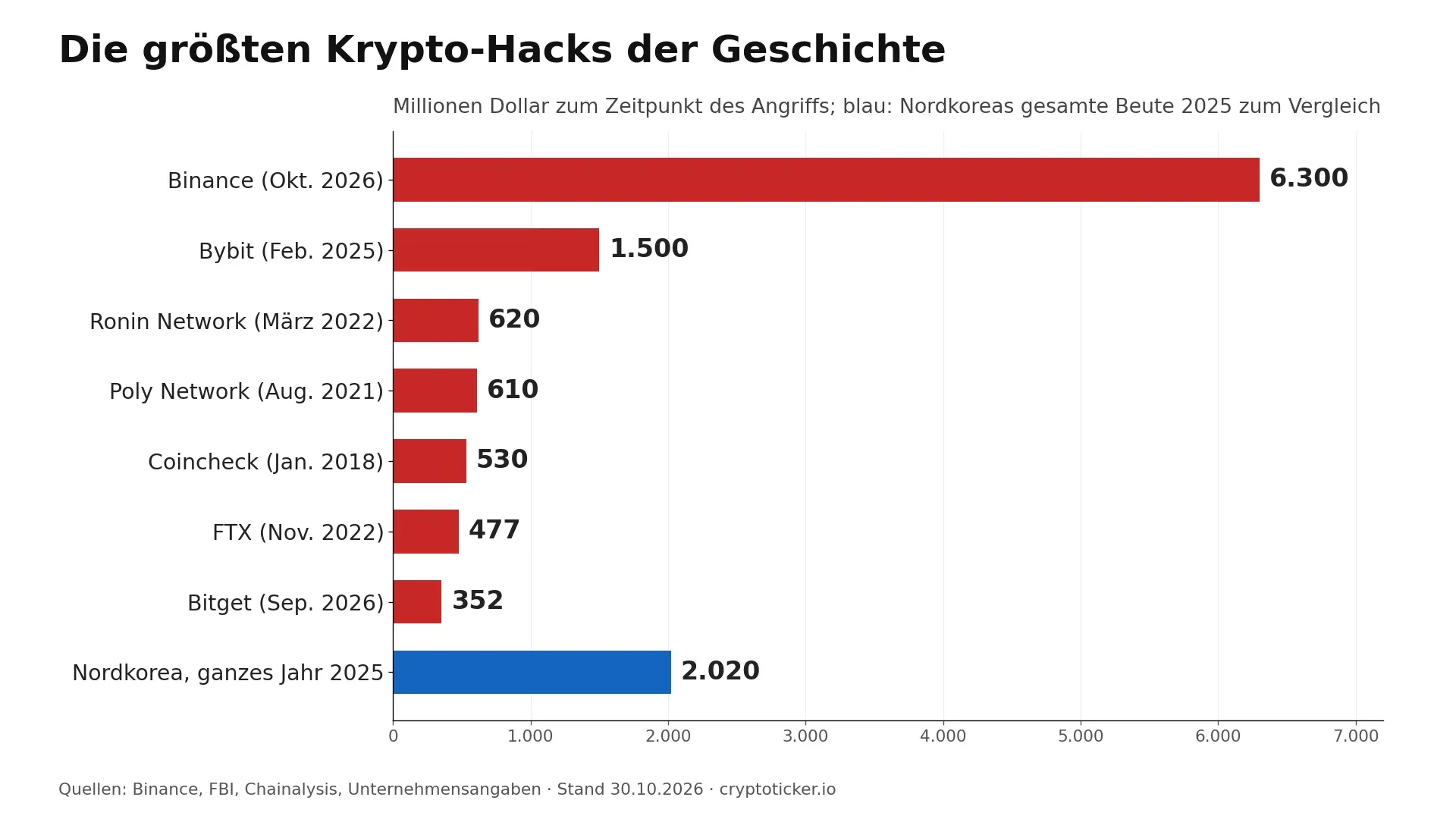
- Scale: more than three times what North Korea's hackers stole in the whole of 2025, namely $2.02 billion according to Chainalysis.
- Hardware wallet: from €59 (Ledger Nano S Plus, Trezor Safe 3) or $59.90 (Tangem with two cards), manufacturer prices as of October 16, 2026.
- Wallet scanner: MetaMask checks transactions and signatures with security alerts by default, Revoke.cash shows old approvals.
- Exchange account: two-factor protection via an app or security key instead of SMS, plus a withdrawal whitelist.
- Tactics: North Korea's hackers gain access through fake job offers and recruitment tests, according to Chainalysis in its report of December 18, 2025.
How to store crypto safely: what the Binance hack means for you
The key lesson from the Binance hack is that a balance on an exchange is a claim against the exchange, not a coin in your own hands. As long as the exchange can and will pay, you notice nothing. Binance has promised to cover all losses from its own funds and its SAFU emergency fund.
Binance describes how it happened in an announcement of October 30. The entry point was probably the compromised laptop of a DevOps engineer, through which the attackers reached a service container and withdrawals. Binance sees no leak of private wallet keys, and around $3 billion has been frozen on the blockchain. TRM Labs and Chainalysis attribute the attack to the North Korean group TraderTraitor; the full background is in our overview of whether North Korea is behind the Binance hack.
What counts for you as an investor is the scale. According to the Chainalysis annual report, North Korea's hackers stole at least $2.02 billion in the whole of 2025, more than ever before. The Binance hack alone is more than three times as large. Binance can absorb such a loss: according to DefiLlama, the exchange's known wallets held almost $145 billion before the hack, not counting its own tokens such as BNB. At FTX, the outflow on the day of its insolvency in November 2022 ended differently, and customers there waited years for their money. We collect all cases in our crypto hacks and security section.
What you can do with your Binance account after the hack is covered in our article Binance puts the hack at $6.3 billion, and whether the exchange could fail because of it in How much would it take to bankrupt Binance? The following steps apply to every exchange and every wallet.
Exchange, software wallet or hardware wallet: where your crypto is safest
Crypto is safest on a hardware wallet whose recovery phrase only you know. For money you trade with, a regulated exchange is the more convenient place. A software wallet on your phone or computer sits in between: you hold the keys yourself, but on a device that is constantly online.
| Storage | Who holds the key | Typical attack | Most important protection | Cost |
|---|---|---|---|---|
| Exchange (Binance, Coinbase, Bitpanda) | the exchange | Hack of the exchange, account takeover via phishing or SIM swapping | Two-factor protection via app or security key, withdrawal whitelist, exchange with a MiCA licence | no custody fee, trading fees |
| Software wallet (MetaMask, Trust Wallet) | you, on an online device | Malware, fake websites, malicious approvals | Wallet scanner, revoke approvals regularly, dedicated device | free |
| Hardware wallet (Tangem, Ledger, Trezor) | you, offline on the device | Tampered devices from third-party sellers, phishing for the recovery phrase | Buy directly from the manufacturer, never store the phrase digitally | from €59, one-off |
A proven split: what you actively trade sits on an exchange licensed under the EU's MiCA regulation; we compare providers under regulated crypto exchanges. What you hold for the long term moves to a hardware wallet. That way, an exchange hack hits at most the smaller part.
 Self-custody your coins: hardware wallets compared
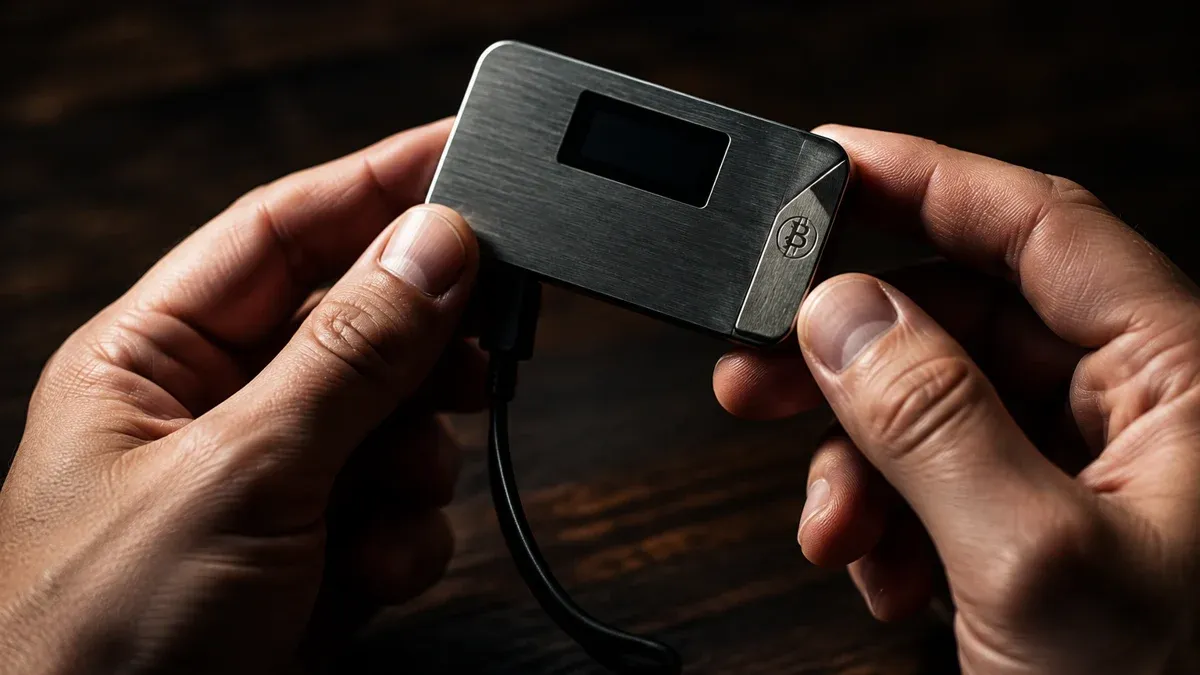
Hardware wallet: the safest way to store crypto
A hardware wallet generates the private key on the device and never releases it. You confirm every transfer there, not on your computer. A laptop infected with malware, the entry point in the Binance hack, is then not enough to move your coins. Even the best hardware wallet has one limit, though: it protects the key, not every signature. Whatever you confirm on the device is valid, which is why a wallet scanner belongs alongside it.
| Feature | Tangem Wallet | Ledger Nano S Plus | Trezor Safe 3 |
|---|---|---|---|
| Manufacturer price (Oct 16, 2026) | $59.90 (2 cards) | €59 | €59 |
| Form factor | Card or ring | USB stick with display | Device with display |
| Connection | NFC with your smartphone | Cable | Cable |
| Backup | Second and third card, seed phrase optional | Recovery phrase | Recovery phrase |
| Battery | not needed | not needed | not needed |
Tangem is a card the size of a bank card, with no battery and no cable. To confirm, you hold it against your smartphone, and the key sits in a secure element rated EAL6+. By default, Tangem works without a seed phrase; the backup is the second and third card in the set. For anyone withdrawing coins from an exchange for the first time, it is the simplest route. Our link to the Tangem shop carries the code CRYPTOTICKER (affiliate link). Cost, security and everyday use are covered in our review Tangem Wallet: cost and security.
Ledger and Trezor work with a display and cable. You see the recipient address and amount on the device before you confirm, and you secure the wallet with a recovery phrase of 12 or 24 words. Trezor makes its firmware open source.
Buy a hardware wallet directly from the manufacturer and never second-hand. In October 2026, Ledger confirmed an implant in tampered devices that read the recovery phrase during setup and sent it to attackers via mobile network; MediaMarkt and Saturn then pulled Ledger from sale. The background is in our report on the Ledger hack. Never use a phrase that comes enclosed or pre-filled. We compare all models with prices and features in our hardware wallet comparison.
Wallet scanner: how to check transactions before you sign
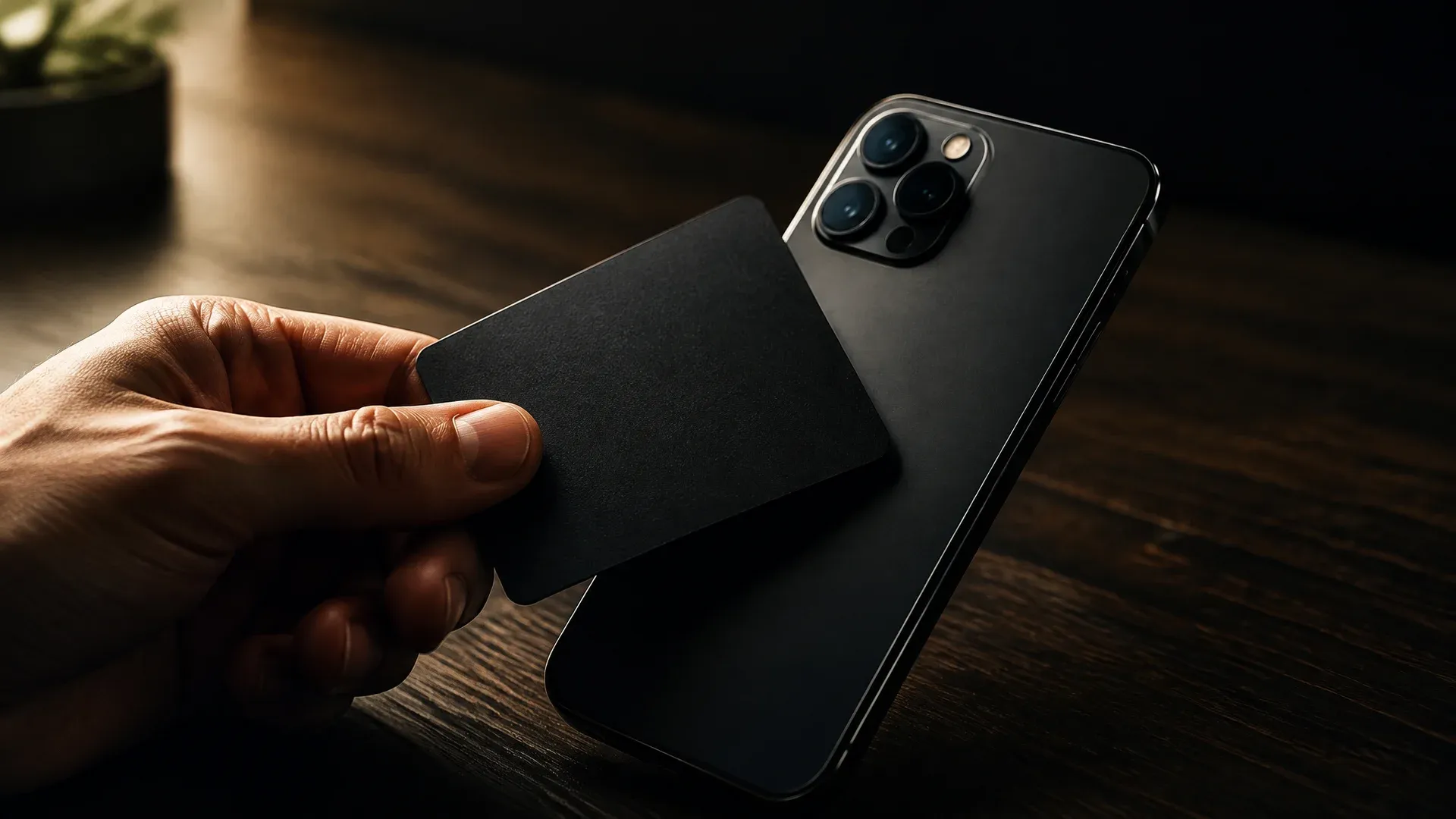
A wallet scanner checks a transaction or signature before you confirm it and warns you about known fraud patterns, much like a virus scanner. Many retail investors lose their coins not through a cracked key but through a single signature on a fake website. That is exactly where the scanner comes in.
MetaMask Security Alerts
MetaMask has such a scanner built in. According to the MetaMask help pages, security alerts are switched on by default in the browser extension and the app. They check transactions and signature requests using data from Blockaid and other providers, and have two levels: a warning when there is a possible risk and a prominent alert when a request is classified as malicious. The warning blocks nothing, and you could still confirm. In that case, cancel. More on the wallet is in our MetaMask review.
Revoke.cash: find and revoke old approvals
Every approval you have ever granted to an app remains in place until you revoke it. Revoke.cash shows all open token approvals for an address across many blockchains. Your address is enough to view them; to revoke, you connect your wallet and pay only the network fee. How to do this step by step is explained in Revoking token approvals on Ethereum, and how to recognise a dangerous signature in our guide to wallet drainers. You can find an overview of all software wallets in our software wallet comparison.
Storing crypto safely on an exchange: the settings that protect your account
If part of your coins sits on an exchange, five settings decide whether an attacker can do anything with your password alone.
- Two-factor protection via app or security key: an authenticator app, passkey or hardware key instead of SMS. SMS codes can be intercepted through SIM swapping, as described in our guide to SIM swapping protection.
- Withdrawal whitelist: withdrawals only go to addresses you have saved in advance. At many exchanges, a new address comes with a waiting period during which you can spot an attack.
- Anti-phishing code: a word of your choice that appears in every genuine email from the exchange. If it is missing, the email did not come from the exchange.
- Dedicated email address: an address used only for exchange accounts that you give out nowhere else.
- Licensed exchange: providers with a MiCA licence must hold client funds separately from their own assets and are under supervision.
How Binance performs on security, fees and licences is set out in our Binance review.
How to store your seed phrase safely: the backup decides
Whoever knows a wallet's recovery phrase owns the coins. The rule is therefore: never photograph it, never store it in a cloud or notes app, never type it into a website. Write it on paper or, better, on a steel plate, keep it in a place that fire and water cannot reach, and store a second copy somewhere else. No wallet or exchange support team will ever ask for your phrase.
How long paper lasts, what a passphrase adds as a 25th word and when multisig is worthwhile are covered in our guide How to store your seed phrase safely. If you would rather not manage a word list at all, use a card wallet such as Tangem with backup cards.
How North Korea's hackers operate and how to recognise their tactics
North Korea's hackers mainly target people, not technology. According to Chainalysis, they place IT workers as employees in crypto firms and increasingly pose as recruiters for well-known Web3 and AI companies. At the end of a supposed recruitment process comes a "technical test" that harvests credentials and access to the candidate's current employer. Executives receive approaches from supposed investors or buyers asking about systems and access.
For retail investors this means: do not install software sent to you by a recruiter, an investor or a contact from Telegram or LinkedIn, and do not open a coding task on the computer that runs your wallet. A dedicated computer, or at least a separate user account just for crypto, lowers the risk considerably. How one such campaign emptied thousands of wallets is described in our report on North Korean hackers and job offers.
Checklist: how to store crypto safely in seven steps
- Split your holdings: trading money on an exchange with a MiCA licence, the rest on a hardware wallet.
- Buy correctly: hardware wallet directly from the manufacturer, check the packaging, generate the phrase yourself.
- Offline backup: recovery phrase on paper or steel, two locations, never digital.
- Harden your exchange account: two-factor protection via app or security key, withdrawal whitelist, anti-phishing code.
- Leave the scanner on: keep MetaMask Security Alerts switched on and take every warning seriously.
- Clean up approvals: check with Revoke.cash once a month and revoke anything unnecessary.
- Act fast in an emergency: move any remaining balance immediately to a new wallet with a new phrase, revoke approvals, and inform the exchange and the police.
The Binance hack shows how much money can vanish in a single evening. Binance can cover the loss. With a hardware wallet and these seven steps, you do not have to rely on that in the first place.
Frequently asked questions: storing crypto safely
Transparency note: This article was produced with the assistance of artificial intelligence and reviewed by our editorial team before publication. All figures and claims were checked against the primary sources linked in the text. The feature image was generated with AI.
Related articles
- How to Keep Crypto Safe
- How to Store a Seed Phrase Safely: What Steel, a Passphrase and Multisig Do for Your Wallet Backup
- How to Set Up a Crypto Wallet: Securing Your Coins in Seven Steps
- Trezor Hack Scare: That STM32 Entropy Email Is a Phishing Attack
- Beware of New Ethereum Node Scam: USDT Fraud Exposed
Which topics should we dive deeper into?
Select what genuinely interests you. Your picks feed directly into our editorial planning.
Crypto news that's actually worth your time.
Weekly. 60 seconds. Carefully curated by our editors: no hype, no promo flood, no spam.

August 22, 2026 4:13 AM

SafePal Data Breach: 39,798 Customers Exposed With Names, Addresses and Phone Numbers
SafePal confirmed a data breach on August 16, 2026: the names, delivery addresses, phone numbers and order details of 39,798 customers were exposed. Seed phrases and private keys were not affected, but the phishing risk is substantial.

October 11, 2026 4:50 AM
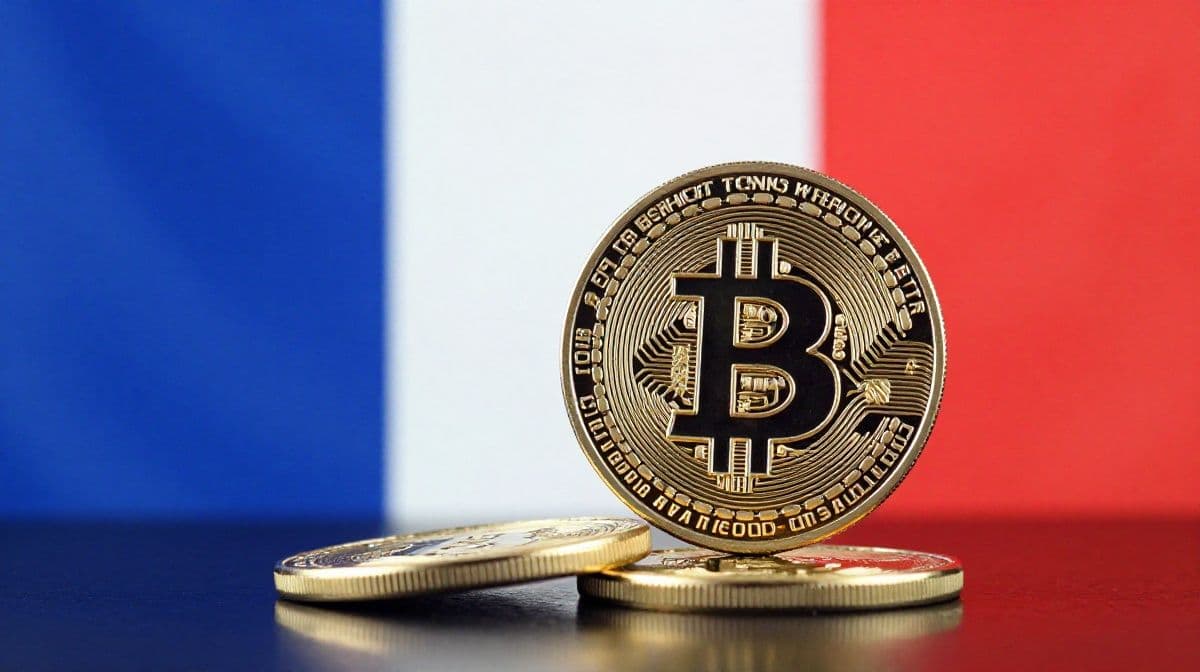
90 Crypto Kidnappings and Robberies in 7 Months: Why France Is the Most Dangerous Country for Bitcoin Holders
France logged 90 crypto kidnappings, extortions and violent thefts this year, one every 2.5 days. Leaked tax data is to blame. Here is how to protect yourself.
December 26, 2025 1:50 PM
Breaking: Trust Wallet Chrome Extension Hack Drains $7M, Full Reimbursements Promised
A supply-chain attack hit Trust Wallet’s Chrome extension, draining $7M from users. Binance’s CZ says all victims will be reimbursed.
September 17, 2026 4:14 PM
D'CENT App Wallet: How to Tell If Your Recovery Phrase Has to Move Now
Manufacturer IoTrust reports suspicious asset transfers in the D'CENT app wallet and asks users to move their holdings. One question decides the matter: has your recovery phrase ever been entered into the app?
August 25, 2026 10:31 PM
Crypto Wallet Phishing by Letter: Why the QR Code From Your Postbox Wants Your Recovery Phrase
Letters carrying a QR code urge a supposedly urgent wallet update on grounds of quantum resistance and lead to a page that asks for the recovery phrase. The Federal Office for Cybersecurity reported the ploy on August 18, 2026.
October 19, 2026 1:14 AM

Qubic halts its mainnet after 1,404 wallets are drained: the seed was the weak point
An attacker drained 1,404 Qubic wallets on the night of October 18, roughly $1.3 million. The protocol was not to blame: seed generation in the browser supplied too little randomness.

December 28, 2018 3:02 PM
How To Use a Trezor Wallet?
Trezor is a hardware wallet which gives exceptional security for managing Bitcoin and other cryptocurrencies private keys.It incorporates and deposits personal keys securely and enables users to carry trade without an Internet link. Trezor grants its users with numerous benefits, […]
July 31, 2026 3:54 PM
594 BTC Gone in 25 Minutes: The Coldcard Flaw That Made Seed Phrases Guessable
A firmware bug from March 2021 let an attacker drain $38 million from around 500 Bitcoin wallets. Here is what broke, who is exposed and what to do now.
October 2, 2026 7:16 AM

$1.26 Billion in Three Months: Crypto Hacks Hit Their 2026 High
The security firm CertiK counts around $1.26 billion in damage from 247 incidents for the third quarter of 2026. September was the worst month of the year with 99 cases, and this is the background and what it means for your custody.
September 25, 2026 1:47 PM
Magic Eden and Limit Break exploit: 530 WETH and thousands of NFTs drained, how to revoke your approvals
A bug in Limit Break's Payment Processor, the protocol behind Magic Eden's former Ethereum marketplace, has been draining NFTs and WETH since Thursday. Our blockchain analysis shows 911 affected wallets. What happened, why hardware wallets do not protect you and which two approvals to revoke now.
September 20, 2026 4:15 PM
Crypto Phishing After a Data Breach: The Warning Signs in a Fake Exchange Email
After every major data breach, the number of phishing emails sent in the name of crypto exchanges and wallet manufacturers rises. This article shows you how to recognise such a message, which data a reputable provider never requests by email, and what to do in the first hour after a click.
August 13, 2026 4:59 PM
Trezor Data Breach: First 13,689 Customers, Then Roughly 67,000 More Exposed
A breach at Trezor shipping partner ShipMonk exposed names, phone numbers and home addresses of 13,689 customers in August; in September Trezor reported roughly 67,000 more in the US. Devices are safe, phishing risk is not.
December 22, 2020 3:49 PM

Crypto Wallet Provider Ledger Hacked: Data Leak Results in Phishing Scams
Ledger, a cryptocurrency wallet provider has encountered a data breach. The official Twitter account of the hardware wallet tweeted that they have been alerted to the dump of a client database.
October 26, 2026 12:00 PM

Bitcoin Wallet Bug: Why Speeding Up a Payment Could Drain Your Wallet
A Bitcoin wallet bug let rogue servers swap a real payment for a fake one and trick users into signing it. How the fee bump trap works and how to stay safe.
October 2, 2026 10:36 AM
Hot Wallet or Cold Wallet: the Private Key Decides How Safe Your Coins Are
Hot wallet or cold wallet: the difference rests solely on whether the private key is online. What separates the two forms, where the limits of hardware lie and why moving to your own device triggers no tax.
September 30, 2026 7:16 AM
Tangem Wallet: The Card Without a Seed Phrase vs the Classic Hardware Wallet
The Tangem Wallet secures crypto with two or three identical cards instead of 24 words. What the sets cost, what the EAL6+ chip delivers and why losing every card is final.
March 12, 2020 1:12 PM
What Is A Cold Wallet? And Why Is It Important?
A cold wallet is a wallet which is completely offline and used for storing cryptocurrencies. It is also known as cold storage.
October 29, 2026 9:49 PM
Is This the End? How Low Bitcoin Could Fall After the Binance Hack
About $2.8 billion left a Binance hot wallet and Bitcoin slid below $79,000. Whether this turns into a real crash depends on one question. Three scenarios, the key price levels for Bitcoin, Ethereum and Solana and what to do now.
October 23, 2026 10:21 PM
Ngrave phishing: $2.56 million left 70 wallets after a hijacked push provider
Attackers hijacked the push provider of Belgian hardware wallet maker Ngrave and sent fake security alerts to users of the LIQUID app on October 17. Anyone who entered their recovery words lost their balance: between $2.56 million and $2.65 million flowed out, while the devices themselves remained untouched according to the company.
October 5, 2026 1:29 AM

Chainalysis attributes $387 million from the Bitget hack to North Korea: what matters now for investors in Germany
The analytics firm Chainalysis attributes the theft of around $387 million at Bitget to actors with ties to the DPRK and puts the annual total above one billion dollars. What that means for custody, choice of exchange and record-keeping in Germany.
September 19, 2026 10:11 PM
North Korean Hackers Drain 7,000 Crypto Wallets: What to Check on Job Offers and Coding Tests
Seven agencies, among them Germany's BND and BfV, warn about the WaterPlum group: 30,000 infected machines, more than 7,000 drained wallets. The bait is a job offer, the trap a coding test.
August 3, 2022 9:22 AM
What are the BEST Ethereum Wallets in 2022?
What are the best Ethereum wallets in 2022? In this article, we talk about the best Ethereum wallets for 2022 and help you pick the best.
September 25, 2026 4:11 AM
Bitget Pauses Withdrawals: Where Existing Customers in Europe Stand
Bitget reports unauthorised outflows of around $351.6 million (later revised to $387.5 million) and has suspended withdrawals. For existing customers in Europe, that closes the one route MiCA had left them.
September 7, 2026 7:26 PM
Stolen Keys Beat Code Flaws: Why the Private Key Is the Way In for 2026 Crypto Hacks
Compromised private keys overtook smart contract code flaws as the most common attack route for the first time in 2026. What sits behind the shift, and how to check your own setup for its single point of failure.

February 2, 2024 1:30 PM
Binance Froze $4.2 million in XRP following a breach of Ripple co-founder’s wallet
Discover how Binance acted swiftly to secure $4.2M in XRP after a significant hacking incident targeting Ripple co-founder's personal wallet.
May 27, 2024 11:56 AM
Wave of Crypto Hacks and Exploits Hits Influencers and Memecoins: WATCH OUT!
A series of hacks on crypto influencers, celebrities, and a major memecoin exploit have raised serious security concerns within the cryptocurrency community. Here is what you need to watch out for!
September 10, 2026 1:14 PM
Phishing Email From the Real Sender Address: How to Check a Wallet Security Warning
An alleged security warning to wallet customers travelled through the manufacturer's genuine sending channel and passed every technical authenticity check. The test that still holds costs you four minutes.
More from CryptoTicker