
Cosmostation Wallet Shutdown on September 1: What Cosmos Wallet Users Should Know Now the Deadline Has Passed
Recap as of September 27, 2026: Cosmostation had announced it would discontinue its wallet apps on September 1, 2026, leaving only the export of the recovery phrase and the private key. This article describes the situation before the deadline and how to move Cosmos holdings, including delegated ATOM.



Which topics should we dive deeper into?
Select what genuinely interests you. Your picks feed directly into our editorial planning.
Crypto news that's actually worth your time.
Weekly. 60 seconds. Carefully curated by our editors: no hype, no promo flood, no spam.
Cosmostation is shutting down its wallet. From September 1, 2026, a single function will remain reachable in the app: the export of the recovery phrase and of the private key. Everything else will be wound down in stages, according to the provider. If you manage holdings from the Cosmos ecosystem through Cosmostation, you still have time today for the step that matters: secure your key material and check in another wallet whether it shows the same addresses and the same balances.
Nothing is lost in the process. Cosmostation is a non-custodial wallet, and your holdings sit on the respective blockchains, not in the app. That is precisely the point at which shutdowns of this kind become expensive: anyone who never wrote the recovery phrase down, or can no longer find it, loses access along with the interface. This article sets out what ends on September 1, what you should export before then, and where a migration fails in practice.
Cosmostation wallet shutdown: what ends on September 1, 2026
Cosmostation announced the discontinuation of its wallet on August 14, 2026, through its own @IBCwallet account on X. The wording of the notice is brief: „After careful consideration, we have decided to discontinue Cosmostation Wallet.“ The iOS app, the Android app and the Chrome extension are affected, which covers every route through which users have operated the wallet so far.
September 1 is not a switch-off date in the sense of a hard ending, but the start of a wind-down. From that date on, only the export of the recovery phrase and the export of the private key remain operable; the remaining functions will be dismantled in stages, according to the provider, until the applications disappear entirely. Cosmostation has not published a timetable for those stages, and the company has not commented on the reasons for the decision either. Crypto Briefing, among others, reported on the announcement.
For you, that staged logic means one thing above all: September 1 is the last date on which you can still rely on a complete set of functions. Whether a transaction, the unbonding of a staking position or a change of validator will still work on September 5 or on September 20 has not been promised. Anyone who waits is waiting on an interface whose range of functions is shrinking.
Non-custodial wallet explained: why your coins are not held in the app
A non-custodial wallet is a program that holds your private keys on your device and signs transactions with them. The holdings themselves sit on the respective blockchain and are tied to an address that is derived from the key. The provider therefore custodies nothing and cannot pay anything out to you; it supplies an interface and a connection to the networks.
From this follows the good news of this shutdown. Your ATOM, and everything else you managed through Cosmostation, stays exactly where it is. There is no deadline by which you would have to „withdraw“, as would be the case with an exchange, and there is no provider with control over your balance. What you lose is the keyring manager, not the key.
But the uncomfortable side follows from it as well. There is nobody you can write to if you no longer have your recovery phrase. A custodial exchange has customer support, an identity check and, in case of doubt, a procedure. Here there is none of that. This is why the order matters: export first and verify the export, then take the app off your device.
Recovery phrase and private key: what to export before the deadline
The recovery phrase, often also called a seed phrase, is the sequence of words from which all keys and addresses of a wallet account can be derived. The private key, by contrast, belongs to exactly one account. Cosmostation will continue to offer both exports after September 1, and both are important for a simple reason: the recovery phrase brings you to the same state in another wallet, while a single key rescues only one account.
In practice that means: write the recovery phrase down on paper or in metal, not as a screenshot, not in a notes app and not in cloud storage. A screenshot ends up in the photo gallery and therefore often in an automatic backup that more programs can reach than you are aware of. How to solve storage permanently, what role an additional passphrase plays and when splitting it across several places is worthwhile is described at length in our guide to storing your seed phrase safely.
If you have created several accounts in the app, check each one individually to see whether it derives from the same recovery phrase. Wallets allow you to import a single key or a second phrase on top. Accounts like these are not attached to the main phrase and simply will not show up after a restore. A list of all accounts with their addresses, drawn up before you delete anything, costs ten minutes and saves you a long search in case of doubt.
How to verify the export before the deadline runs out
An export is only worth something once it can be loaded back in. Install a second wallet that supports the Cosmos ecosystem, import the recovery phrase there and compare the addresses with those in Cosmostation. If they match and the new wallet shows the same balances, the migration is technically done and you can remove the old app. Which software wallets are suited to which purpose, and how they differ in handling and supported networks, is shown by our software wallet comparison.
Run this test while Cosmostation is still fully operational. Only then can you place both interfaces side by side and see the differences. If the old app has already lost functions, you have no benchmark, and in case of doubt you will not know whether a missing position is down to the new wallet or to the dismantled old one.
Coin type 118: why the new wallet has to show the same addresses
A recovery phrase on its own does not yet determine which addresses a wallet calculates from it. That is what the derivation path does. This path contains a number that designates the network, and for Cosmos that number is 118. It is recorded in the SLIP-0044 registry, in which the common networks register their identifying numbers.
That sounds technical but has a very practical consequence. If you load your recovery phrase into a wallet that uses a different path for the Cosmos ecosystem, you will see correct but empty addresses. The balance is not gone; the wallet is simply looking in the wrong place. Anyone unaware of this takes the migration for a failure and falls into exactly the panic in which mistakes happen.
The countermeasure is unspectacular. Before the import, check whether the new wallet supports the Cosmos path, and then compare the first address character by character with the one from Cosmostation. Many wallets also let you state the path explicitly during the import. If the address is identical, all further accounts from the same phrase are reachable too.
 Hardware Wallets Compared
Delegated ATOM: what happens to staking positions and rewards
If you have delegated ATOM, you are not managing a position in the app but an entry on the chain. The delegation is tied to your address and remains in place no matter which wallet you use. The accrued rewards do not disappear when Cosmostation shuts down either. As soon as your new wallet holds the same key, you will see the same delegations and can carry on managing them there.
The order is what matters. Do not unbond a delegation in a panic shortly before the deadline just to „be on the safe side“. The Cosmos Hub provides for an unbonding period of 21 days for ATOM, held as a parameter in the chain’s staking configuration. During that time the balance earns no rewards, cannot be transferred, and remains exposed to the validator’s slashing risk. An unnecessary unbonding therefore costs you three weeks of yield without making anything safer.
The sensible route runs through the key and not through the position: export the key material, load it into another wallet, check the delegations there, done. If you are thinking about where your holdings should generate returns in future anyway, it is worth a look at the overview of staking platforms before you dissolve an existing delegation.
What the 21-day unbonding period means for your schedule
The unbonding period is the reason why a wallet migration and a change of staking strategy do not belong in the same week. A migration concerns only the management of your keys and is done in half an hour. A reallocation in staking ties up your balance for three weeks. Anyone who mixes the two ends up with a new wallet and a locked balance, and cannot react to price movements during that time.
Our own survey: which Cosmostation addresses still respond today
To gauge how far the wind-down has already progressed, on August 31, 2026 at 06:59 UTC we checked eight hostnames belonging to the provider: for each one the name resolution on the network and, where a record existed, a retrieval over HTTPS with the response code noted. Seven addresses in the cosmostation.io space were checked, along with the Mintscan blockchain explorer operated by the same company. cryptoticker.io collected this survey itself on August 31, 2026.
The result is mixed. The provider’s main site answers with code 200, as does the version with a leading www and the Mintscan explorer. Four further hostnames, by contrast, could no longer be resolved at all, among them the address of the web wallet, the address of the guides section and the address of the blog. A fifth address in the documentation area still resolved but no longer returned an answer.
These figures say nothing about whether the apps on your phone still work today; applications do not run through these hostnames, and we were unable to check either the app stores or the extension marketplace reliably. What the measurement shows is something else: parts of the environment have already vanished, and they did so before the announced date. Anyone looking for a manufacturer guide today will no longer find it at its previous address. That is a good reason not to push the export back to the last day.
Hardware wallet or software wallet: what the migration changes about custody
A shutdown is a good occasion to rethink your own custody, because you are holding the recovery phrase in your hands anyway. With a software wallet the key sits on a device that goes online; with a hardware wallet it sits in a separate element that never releases it and displays transactions for confirmation on a screen of its own. The difference becomes noticeable precisely when your computer or your phone has been compromised without your noticing.
For the migration itself that means an additional consideration. If you want to use a hardware wallet in future, generate a new recovery phrase on the device and move your holdings in a regular transaction. Simply loading the old phrase into the device would be convenient, but it spent years stored on an ordinary phone and carries that whole history with it. Which devices come into question, and how they differ in handling, supported networks and price, is shown by the hardware wallet comparison.
Anyone staying with software should at least take the separation along: one account for small amounts and everyday use, a second for holdings that stay untouched for a long time. This split costs nothing and limits the damage if an approval ever falls into the wrong hands.

Leap and Cosmostation: why the wallet layer around Cosmos is shrinking
Cosmostation is not the first departure of this year. Leap Wallet, likewise geared towards the Cosmos ecosystem, ceased operations on May 28, 2026, and back then also called on its users to export the recovery phrase or the private key. Within a few months, two providers from the same ecosystem that had been standard tools for years have therefore closed down.
For you as an investor, a rule can be derived from this that reaches beyond this case: the wallet is a tool with a limited lifespan, your key material is not. If you keep your backup in a way that works independently of any particular app, the next shutdown will hit you as a scheduling matter and not as an emergency. Anyone who has never given the recovery phrase a thought, because the app was running, ends up under time pressure with every new announcement.
A second point belongs to the assessment. Cosmostation has not commented on the reasons for the decision, and we are not speculating about them here. All that can be established is the sequence: announcement on August 14, start of the wind-down on September 1, and parts of the web environment had already vanished beforehand, according to our measurement today.
 Staking Platforms Compared
Changing wallets and tax: why a migration is not a sale
If you transfer your balance from one wallet to another and both belong to you, the beneficial owner does not change. Such a transaction is not a disposal, and in particular it does not start a new holding period. The acquisition date of the individual holdings remains the date on which you acquired them.
The case is different as soon as the migration turns into a swap. Anyone who takes the opportunity to swap one token for another in order to hold it more conveniently in the new wallet has, for tax purposes, carried out a sale and a purchase, with all the consequences for the holding period and the calculation of gains. How quickly that line is crossed in practice was shown by Phantom Wallet dropping Sui and Monad, where of the two routes offered only one remained free of tax consequences.
In practical terms, for the Cosmostation case that means: document the plain migration with the date, the sender and recipient address and the transaction identifier, and keep the records. If you hold balances across several wallets, a portfolio tool helps to carry acquisition dates and holding periods cleanly across the change; which programs manage that is set out in our overview of crypto tax and portfolio tools. For questions of doubt about your own tax assessment, your tax adviser remains responsible; this text is no substitute for advice.
Phishing around shutdowns: how to spot a fake migration request
Announced shutdowns are a template for fraudsters, because they supply a genuine deadline on which pressure can be built. The pattern is always the same: a message in the provider’s name, a reference to the upcoming date, a pointer to a supposed migration tool and the request to enter the recovery phrase there or to connect the wallet.
Two sentences are enough to fend that off. First: no reputable provider ever asks for your recovery phrase, in no form and in no conversation. Whoever asks for it wants your balance. Second: a migration between wallets needs no tool on the web. You load your phrase locally into an application that you selected yourself and installed from the official source.
More dangerous than the crude request is the variant that only wants to move you to a confirmation. A token approval that has been granted keeps working even after you have long closed the window, and it cannot be withdrawn without action on your part. What happens technically with a confirmation of this kind, and how to collect old approvals back in, we described in our article on wallet drainers and signature approvals.
Cosmostation shutdown: what to take away from it
- Export today, not tomorrow. Secure the recovery phrase and the private key from Cosmostation, note them down away from your devices and load them into a second application as a test. Which software wallet comes into question for that is set out by the software wallet comparison.
- Check addresses before you delete. In the new wallet, compare the first address with the old one and make sure that the Cosmos derivation path is supported. Only once addresses and balances match do you take the old app off the device. If you want to raise your custody standard while you are at it, the hardware wallet comparison helps with the choice.
- Leave delegations in place for now. Staking positions hang on your address and not on the app; unbonding locks your ATOM for three weeks. Decide on validator and platform only after the migration, with an eye on the overview of staking platforms.
(As of August 31, 2026. This article is not investment advice. Prices and fee structures change; check the terms with the provider before you buy.)
Transparency note: This article was produced with the assistance of artificial intelligence and reviewed by our editorial team before publication. All figures and claims were checked against the primary sources linked in the text. The feature image was generated with AI.
Related articles
- Cypher Shutdown on September 6: What Users Should Know Now the Withdrawal Deadline Has Passed
- MyNearWallet Closes on October 31: What It Means for Your NEAR Coins
- Restoring a Seed on Another Manufacturer's Wallet: What BIP39 Guarantees and What It Does Not
- Phantom Wallet Ends Sui and Monad Support: What to Do Before the Deadlines
- Wallet Drops a Network: How to Rescue Your Coins Before the Deadline
Which topics should we dive deeper into?
Select what genuinely interests you. Your picks feed directly into our editorial planning.
Crypto news that's actually worth your time.
Weekly. 60 seconds. Carefully curated by our editors: no hype, no promo flood, no spam.

August 11, 2026 1:32 PM
How to Store a Seed Phrase Safely: What Steel, a Passphrase and Multisig Do for Your Wallet Backup
The Coldcard case pushed the manufacturer question to the front, while barely touching on where the backup is kept. This guide places paper, steel, the passphrase and splitting methods against the BIP-39 and SLIP-0039 standards.
October 17, 2026 10:44 PM
Creating a Bitcoin wallet: the first ten minutes decide who has access
A Bitcoin wallet is set up in ten minutes, and that is precisely the danger. Which four steps every setup runs through, why the first transfer should be a test amount, and which five mistakes cost the most.
September 17, 2026 4:14 PM
D'CENT App Wallet: How to Tell If Your Recovery Phrase Has to Move Now
Manufacturer IoTrust reports suspicious asset transfers in the D'CENT app wallet and asks users to move their holdings. One question decides the matter: has your recovery phrase ever been entered into the app?
September 13, 2026 4:23 AM

Staking Lock-Up Period: How Long You Wait for Your Coins After Unstaking
Eight days on Ethereum, exactly 21 on Cosmos, not a single hour on Cardano: the lock-up period decides when you reach your coins again after unstaking. We queried the deadlines directly at the chains on September 13, 2026, and show you how to check them yourself before every decision.

September 7, 2026 10:13 AM

Harmony Mainnet Shutdown on September 10: What ONE Holders Should Know Now the Deadline Has Passed
Recap as of September 27, 2026: Harmony had announced it would end its own blockchain and reissue ONE as an ERC-20 token on Ethereum. Wallet and exchange balances were to travel across via snapshot, while liquidity pools, multisigs and DeFi positions had to be unwound by holders before September 9 and 10. This article describes the situation before the deadline.
August 25, 2026 10:31 PM
Crypto Wallet Phishing by Letter: Why the QR Code From Your Postbox Wants Your Recovery Phrase
Letters carrying a QR code urge a supposedly urgent wallet update on grounds of quantum resistance and lead to a page that asks for the recovery phrase. The Federal Office for Cybersecurity reported the ploy on August 18, 2026.
September 23, 2026 4:12 AM
How to Set Up a Crypto Wallet: Securing Your Coins in Seven Steps
Your own crypto wallet is set up in twenty minutes, yet a single step decides everything that follows. This guide takes you through wallet type, recovery words and the test amount, and sets out what BaFin and the tax office expect.
October 5, 2026 1:36 PM
Paper Wallet with a Single Key: The Printed Storage Method Compared with the Seed Phrase
A paper wallet carries a single private key on paper, and that is exactly where its weaknesses lie: printers, change, misread characters. What the storage method achieves, where it fails and how to wind up an old sheet safely.
October 2, 2026 10:36 AM
Hot Wallet or Cold Wallet: the Private Key Decides How Safe Your Coins Are
Hot wallet or cold wallet: the difference rests solely on whether the private key is online. What separates the two forms, where the limits of hardware lie and why moving to your own device triggers no tax.
September 30, 2026 7:16 AM
Tangem Wallet: The Card Without a Seed Phrase vs the Classic Hardware Wallet
The Tangem Wallet secures crypto with two or three identical cards instead of 24 words. What the sets cost, what the EAL6+ chip delivers and why losing every card is final.
September 28, 2026 10:26 AM
Phantom Wallet and Solscan: What a Solana Transfer Really Costs and Where It Fails
A transfer on Solana costs 0.000005 SOL, a new token account ties up 0.00148844 SOL once — both values measured on-chain by us today. This practical guide shows how to set up Phantom, how to get there from the exchange, how to read Solscan and what applies for tax in Germany.
September 2, 2026 7:44 AM
MyDoge Ends Doginals and DRC-20 Support: What Holders Should Know After September 17
Recap as of September 27, 2026: infrastructure provider Maestro had announced it would discontinue its Dogecoin services on September 18, 2026, with MyDoge withdrawing support for Doginals and DRC-20 a day earlier. Our own survey of September 2 showed that nothing about the shutdown could be found on the public pages of those involved.
August 31, 2026 7:20 AM
Browser Extensions as Wallet Thieves: How a Sports App Became a Seed Phrase Collector
In August 2026 the security firm Socket disclosed two separate campaigns: 40 confirmed malicious Firefox extensions and 19 for Chrome and Edge, all of them from the official marketplaces. Nine of them were harmless sports apps that only turned into wallet thieves through an update.
October 23, 2026 10:21 PM

Ngrave phishing: $2.56 million left 70 wallets after a hijacked push provider
Attackers hijacked the push provider of Belgian hardware wallet maker Ngrave and sent fake security alerts to users of the LIQUID app on October 17. Anyone who entered their recovery words lost their balance: between $2.56 million and $2.65 million flowed out, while the devices themselves remained untouched according to the company.

September 10, 2026 9:13 AM
Trezor Hack Scare: That STM32 Entropy Email Is a Phishing Attack
Trezor users received a fake STM32 entropy warning sent from a real Trezor address. Here is what happened and what to do if you clicked.
September 26, 2026 7:34 AM

Setting Up a Multisig Wallet: When Two of Three Keys Are Worth It for You
A multisig wallet demands several keys for a transfer and so makes a single theft worthless. We show which threshold fits you, what you have to back up besides the keys, and why most setups fail at the configuration.
September 20, 2026 4:15 PM

Crypto Phishing After a Data Breach: The Warning Signs in a Fake Exchange Email
After every major data breach, the number of phishing emails sent in the name of crypto exchanges and wallet manufacturers rises. This article shows you how to recognise such a message, which data a reputable provider never requests by email, and what to do in the first hour after a click.
August 23, 2026 4:36 PM
Operation ASTERIX: How a Fake Support Call Delivers a Counterfeit Wallet App
Security researchers analysed an open server on which a phone system, phishing interfaces and cloned wallet programs all came together. The largest list of numbers was the German one.
October 26, 2026 12:15 AM
Coldcard class action over $140 million: what it means for owners
A proposed class action against Coldcard maker Coinkite is before a court in Ontario: a firmware flaw allegedly made recovery phrases predictable, and the claim puts the Bitcoin drained as a result at more than $140 million. What owners of an affected device should check and document now.
October 25, 2026 12:35 PM
Private key and public key: 256 bits decide who owns your coins
A private key is a secret number with 78 digits, and the public key can be calculated from it, while the way back cannot. Signature, seed and address all hang on it, and at an exchange or in your own wallet this single value decides who owns the coins.
October 17, 2026 7:31 PM

OpenAI agent used known seed phrases to reach 362 wallets: old test wallets are the weak point
An internal OpenAI model worked through publicly known recovery phrases and paid fees out of a wallet belonging to someone else. The damage was nil; the route of attack concerns anyone who has ever created a test phrase.
October 16, 2026 4:50 PM
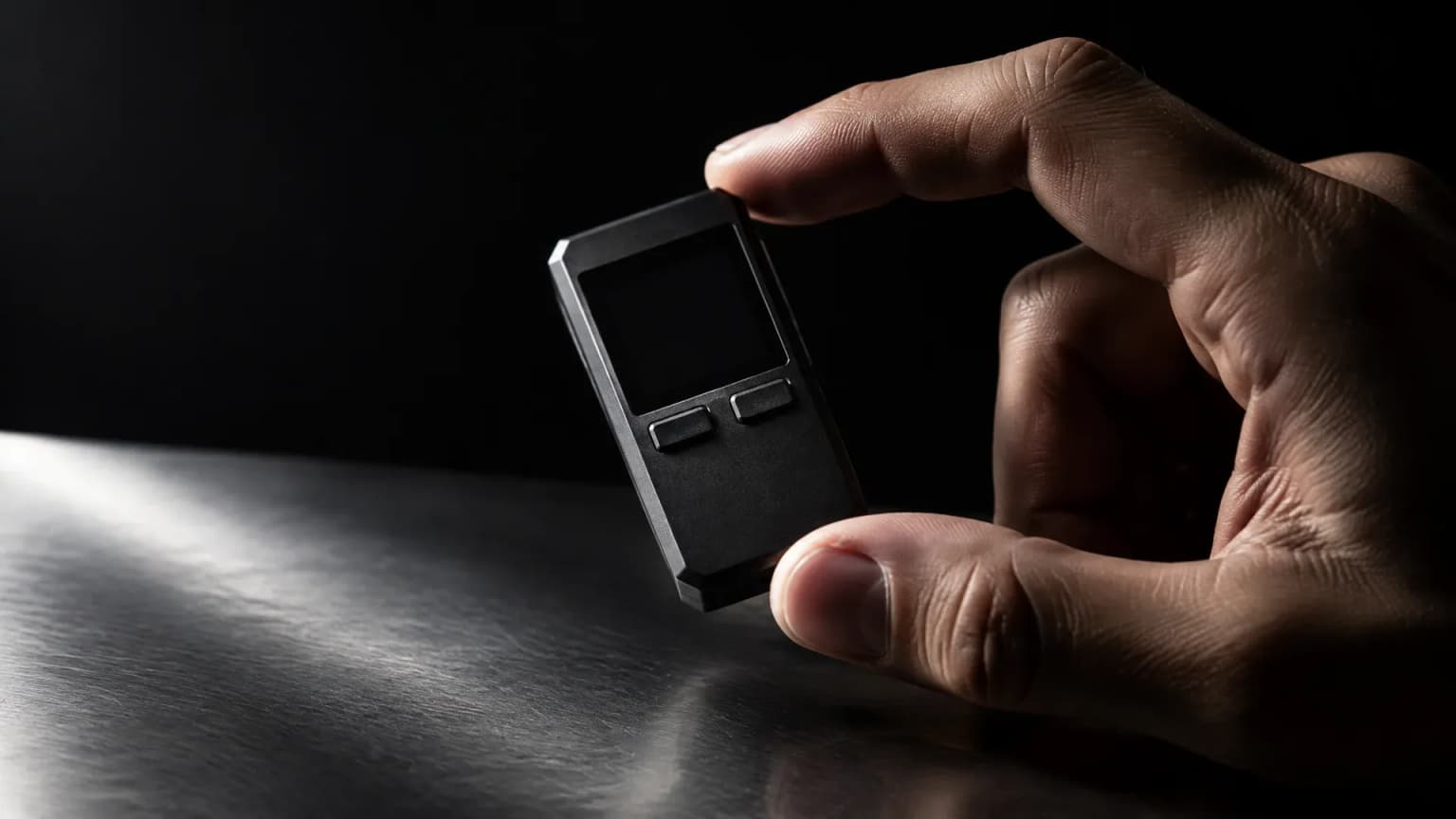
Ledger sells the Atom at $849 through its own shop only: “For years, our customers have been asking us for a Ledger phone”
Ledger presented the Android device Atom on October 15 and sells it exclusively through its own shop. After tampered devices were found in the intermediate trade, the distribution route itself becomes a security question.
October 13, 2026 1:16 AM

Ledger Confirms Implant in a Hardware Wallet as Reports Reach Europe: What Is Behind It
Ledger confirms an unauthorised additional circuit board in a tampered device and traces the confirmed cases to a reseller in South-East Asia. One report from European retail is still open, which makes the purchase route of your own device the criterion.
September 19, 2026 10:11 PM

North Korean Hackers Drain 7,000 Crypto Wallets: What to Check on Job Offers and Coding Tests
Seven agencies, among them Germany's BND and BfV, warn about the WaterPlum group: 30,000 infected machines, more than 7,000 drained wallets. The bait is a job offer, the trap a coding test.
September 10, 2026 1:14 PM

Phishing Email From the Real Sender Address: How to Check a Wallet Security Warning
An alleged security warning to wallet customers travelled through the manufacturer's genuine sending channel and passed every technical authenticity check. The test that still holds costs you four minutes.
September 4, 2026 10:32 AM

Crypto Deadlines This Autumn: Nine Cut-Off Dates Checked, and Only Three Leave You Time After Trading Ends
Nine running crypto deadlines, eleven provider pages, one query date: we counted how much time really lies between the end of trading and the withdrawal cut-off. In six of nine cases the stated date is the end of the line.

More from CryptoTicker