
How to use Etherscan: reading transactions, gas fees and smart contracts with real examples
Etherscan shows every movement on the Ethereum blockchain, free of charge and without sign-up. This guide uses real examples to explain how to read transactions, fees, tokens and smart contracts, and how to protect yourself from address poisoning.

Which topics should we dive deeper into?
Select what genuinely interests you. Your picks feed directly into our editorial planning.
Crypto news that's actually worth your time.
Weekly. 60 seconds. Carefully curated by our editors: no hype, no promo flood, no spam.
Etherscan is a free search engine for the Ethereum blockchain: you enter an address, a transaction ID or a token name and immediately see what happened there. You can use it to check whether a transfer has arrived, how high the fee was, which tokens an address holds and whether a smart contract is genuine. You need neither an account nor a wallet to do so.
The technical term for such a tool is block explorer: a website that reads in, sorts and makes searchable all the data on a blockchain. Etherscan is the best-known explorer for Ethereum and, by its own account, is run independently, meaning it is neither funded nor controlled by the Ethereum Foundation. One point matters for understanding it: Etherscan is not a wallet and not an exchange. It holds no coins, knows no private keys and cannot reverse a transaction.
This guide shows you step by step how to read Etherscan. The examples come from a real block of November 4, 2026. If you are mainly interested in gas fees and sending ERC-20 tokens, you will find the details in our guide to Ethereum gas and Etherscan.
What is Etherscan? The block explorer for the Ethereum blockchain
Every Ethereum transaction ends up in a public ledger that exists in identical form on thousands of computers worldwide. For humans, however, this ledger is hard to read, because it consists of raw data. Etherscan translates that data into tables, timestamps and amounts. The principle is that of a public bank statement, except that anyone can view any statement without knowing the person behind it.
The homepage shows four things at a glance: the current ether price, the latest blocks, the latest transactions and the state of network fees. Above them sits the search bar, with which you can find almost anything:
- Address: a string that starts with 0x and is 42 characters long
- Transaction ID (hash): a string with 0x and 64 further characters
- Block number: for example 26337953
- Token name or ticker: such as USDT or LINK
- ENS name: a readable address such as name.eth
A block is a data package in which the network bundles a batch of transactions roughly every twelve seconds and records them permanently. Block 26,337,953 of November 4, 2026, for example, contained 276 transactions and used around 27.8 million of a maximum of 60 million possible gas units.
Finding a transaction on Etherscan: hash, status and confirmations
The most common question put to Etherscan is: has my transfer arrived? For that you need the transaction hash, also called TxHash or transaction ID. Your wallet or exchange shows it after sending, usually behind a link such as "View in explorer". You paste this hash into the search bar.
The key fields are at the very top of the transaction page:
- Status: "Success" means executed, "Fail" means failed, "Pending" means the transaction is still waiting to be included in a block.
- Block: the block number and, next to it, the number of confirmations, i.e. how many blocks have been added since. The more confirmations, the more final.
- Timestamp: the time of inclusion in the block.
- From and To: sender and recipient.
- Value: the amount sent in ether.
- Transaction Fee: the network fee paid.
If it says "Success" but the money is missing from your exchange account, the problem is almost never on the blockchain. Common causes are the wrong network on the recipient's side, a missing allocation on the exchange's side or a token the wallet does not yet display. In that case, the hash serves as proof for customer support.
 Compare crypto analytics platforms
Reading gas fees on Etherscan: Gas Limit, Gas Used and Base Fee
Under "More Details", Etherscan shows how the fee is made up. Gas is the unit in which Ethereum measures the computational effort of a transaction. The price per gas unit is quoted in gwei, one billionth of an ether. Since the EIP-1559 upgrade it has consisted of two parts: the base fee, which the network sets automatically and which is burned, and the priority fee, a voluntary tip to the validator.
A real example from block 26,337,953: a simple ether transfer used exactly 21,000 gas units, the fixed minimum for a transfer between two wallets. At an effective price of around 0.045 gwei it cost 0.00000094 ether, which at the November 4 price of just over €2,000 is less than a cent. The base fee in this block was only 0.035 gwei.
The page shows two gas values side by side. "Gas Limit" is the ceiling the wallet set in advance. "Gas Used by Transaction" is the actual consumption. If consumption is at 100 percent of the limit and the status is "Fail", the transaction ran out of gas. According to Etherscan's help section, the actual amount stays with the sender in a failed transaction, but the fee is gone all the same.
ERC-20 tokens on Etherscan: a USDT transfer with 0 ETH in the Value field
Many people are alarmed when they look up a USDT or USDC transfer: "Value" shows 0 ETH and "To" shows an unfamiliar address. This is not an error. ERC-20 is the standard for tokens on Ethereum, and every such token is its own smart contract, a program on the blockchain. Your wallet sends the instruction "transfer 74.45 USDT to address X" to this contract, not directly to the recipient.
The real example 0x7b9984c5…f0e4 from the same block illustrates this well. "To" shows Tether's USDT contract and "Value" shows 0 ETH. You find the actual recipient and the amount of 74.45 USDT in the "ERC-20 Tokens Transferred" line. The transaction used 63,209 gas units, three times as much as a plain ether transfer, and still cost only 0.0000022 ether, less than half a cent.
Etherscan distinguishes three kinds of movement, each shown in its own tab on an address page:
- Transactions: normal transactions that a wallet sent itself or received directly.
- Internal Transactions: ether movements triggered by a smart contract, for example during a swap on a decentralised exchange.
- Token Transfers: transfers of ERC-20 tokens and of NFTs under ERC-721 or ERC-1155.
If a deposit is missing from the first tab, it is worth checking the other two. Withdrawals from exchanges in particular often run through contracts and then appear as internal transactions.
Checking a wallet address on Etherscan: balance, tokens and labels
If you enter an address, Etherscan shows its ether balance, the estimated equivalent value and a drop-down list of all tokens held there. Below that are all transactions in chronological order. The list can be downloaded via "Download CSV Export", which is useful for tax purposes (more on that below).
Well-known addresses carry a label, a so-called name tag. It lets you recognise, for example, wallets of large exchanges, known protocols or addresses linked to reported fraud cases. A missing label proves nothing, though: the vast majority of addresses are unlabelled, and Etherscan assigns labels after its own review.
Important for privacy: anyone who knows your address can see your entire balance and every movement on Etherscan. Do not publish your main address carelessly, for instance on social media, and use a separate address for donations or public payments.

Address poisoning and fake tokens: scams in your Etherscan history
Precisely because Etherscan shows everything publicly, fraudsters exploit it. The most widespread scam is called address poisoning. Attackers send tiny amounts or worthless tokens from an address that matches the start and end of your real destination address. Anyone who copies the next transfer address from their history then picks up the fake one.
Etherscan describes the scale of the problem in a post on address poisoning: a study cited there counted around 17 million such attempts against roughly 1.3 million users on Ethereum between July 2022 and June 2024, with confirmed losses of at least $79.3 million. The protective rule is simple: never copy an address from your transaction history, but from your address book or directly from the recipient, and compare it in full, not just the first and last characters.
Fake tokens work in a similar way. Anyone can create a contract named "USDT" and send it to other people's addresses. A token is only genuine if the contract address is correct. Check it on the token page in Etherscan or with the issuer itself, and never interact with a token that turns up unsolicited in your wallet.
 Find a software wallet with an address book
Smart contracts on Etherscan: verified code, Read and Write Contract
On a smart contract's page there is a "Contract" tab. A green tick means the source code is verified: the operator has uploaded the readable program code, and Etherscan has confirmed that it matches the program on the blockchain exactly. A verified contract is not automatically safe, but an unverified contract is a warning sign, because nobody can read what it does.
Below that are two sections. "Read Contract" queries public data, such as an address's balance or a token's total supply. Such queries change nothing and cost no gas. "Write Contract", by contrast, sends real transactions and requires you to connect and sign with your wallet. Etherscan itself warns that every signed action can move money or grant permissions. Only use "Write" if you know exactly which function you are calling.
A practical use case is revoking token approvals. Anyone trading on a decentralised exchange often grants the relevant contract a permanent permission to move tokens out of the wallet. Etherscan's token approval page shows all open permissions and lets you withdraw them. That costs a small fee. We describe this in detail in our guide to gas and approvals.
Etherscan for other blockchains: BaseScan, Arbiscan and BscScan
Etherscan shows only the Ethereum mainnet. For layer-2 networks and other compatible blockchains, the same team runs separate explorers with an almost identical interface, including BaseScan for Base, Arbiscan for Arbitrum, BscScan for BNB Chain, PolygonScan and OP Mainnet Etherscan. A layer-2 network is a separate blockchain that bundles transactions and secures them collectively on Ethereum to bring fees down.
This is the most common cause of a "missing" transaction: you search on Etherscan, but the payment went through Arbitrum or Base. If Etherscan cannot find a hash, check in your wallet which network was selected and open the matching explorer. For Solana, Bitcoin or Tron you need entirely different explorers, because these blockchains are not compatible with Ethereum.
Etherscan and crypto tax: exporting transaction lists as records
For a tax return in Germany, you must be able to document purchases, sales and swaps of crypto assets with date, quantity and value, because gains within the one-year holding period are taxable under Section 23 of the German Income Tax Act once they reach the annual exemption limit of €1,000. Etherscan supplies the raw data for this: an address's CSV export contains the hash, time, sender, recipient, amount and fee of every transaction.
You should know two limits. First, the export lacks the euro values at the time of each movement, which the tax office wants to see. Second, Etherscan separates token movements and ether movements into separate lists. If you use several addresses and networks, a tax tool that reads in addresses directly and adds prices saves you a lot of manual work. Our comparison of crypto tax tools offers an overview. You should also note the hash of larger transactions: it is the unique record if the tax office asks.
Etherscan: hash, address and contract address document every payment
Etherscan answers most questions about an Ethereum payment within seconds, without any sign-up. Three steps make you safer in everyday use:
- Combine tools: Alongside Etherscan, analytics platforms help you keep track of large-address movements and market data. Our comparison of crypto analytics platforms shows a selection.
- Use a wallet with an address book: The best protection against address poisoning is a wallet that offers saved recipients and warnings. Which apps can do this is covered in our comparison of software wallets.
- Secure your records: Export your addresses' transaction lists once a year and have a tax tool add the euro values.
(As of November 4, 2026. This article is not investment advice. Prices and fee structures change; check the terms with the provider before you buy.)
Frequently asked questions about Etherscan
Transparency note: This article was produced with the assistance of artificial intelligence and reviewed by our editorial team before publication. All figures and claims were checked against the primary sources linked in the text. The feature image was generated with AI.
Related articles
Which topics should we dive deeper into?
Select what genuinely interests you. Your picks feed directly into our editorial planning.
Crypto news that's actually worth your time.
Weekly. 60 seconds. Carefully curated by our editors: no hype, no promo flood, no spam.

June 25, 2024 11:00 PM
How to Buy Bitcoin on Bitget: A Step-by-Step Guide
Want to buy Bitcoin and still confused about which platform to use? Look no further! Check Bitget, and this full guide, step by step...
June 15, 2024 2:10 PM
TOP 5 Blockchains For JUNE 2024
Despite having several key metrics commonly used to assess blockchains, here are the top 5 blockchains for June 2024, based on their largest TVL.

October 2, 2026 4:18 AM
AVAX withdrawals: C-Chain vs X-Chain, and which address yours needs
Avalanche runs three blockchains, and only the C-Chain carries tokens, smart contracts and DeFi. This guide shows how to recognise a C-Chain address, what a transfer costs and how to trace it in Snowtrace.
September 27, 2026 1:21 AM
Adding a Network, Bridges and Explorers: Switching Blockchains in 2026
Typing in an RPC by hand is a thing of the past. When you still have to add a network yourself, how to read Etherscan, Basescan and ApeScan, whether you still need bridges in 2026 and what smart accounts change.
August 30, 2025 11:00 PM

Bitcoin Robot That Trades for You Making Big Gains, Read On...
Here's how to start bot trading on OKX, the world’s leading crypto exchange. Automate your trades, save time, and unlock up to 60,000 USDC in rewards.
October 23, 2021 11:56 AM
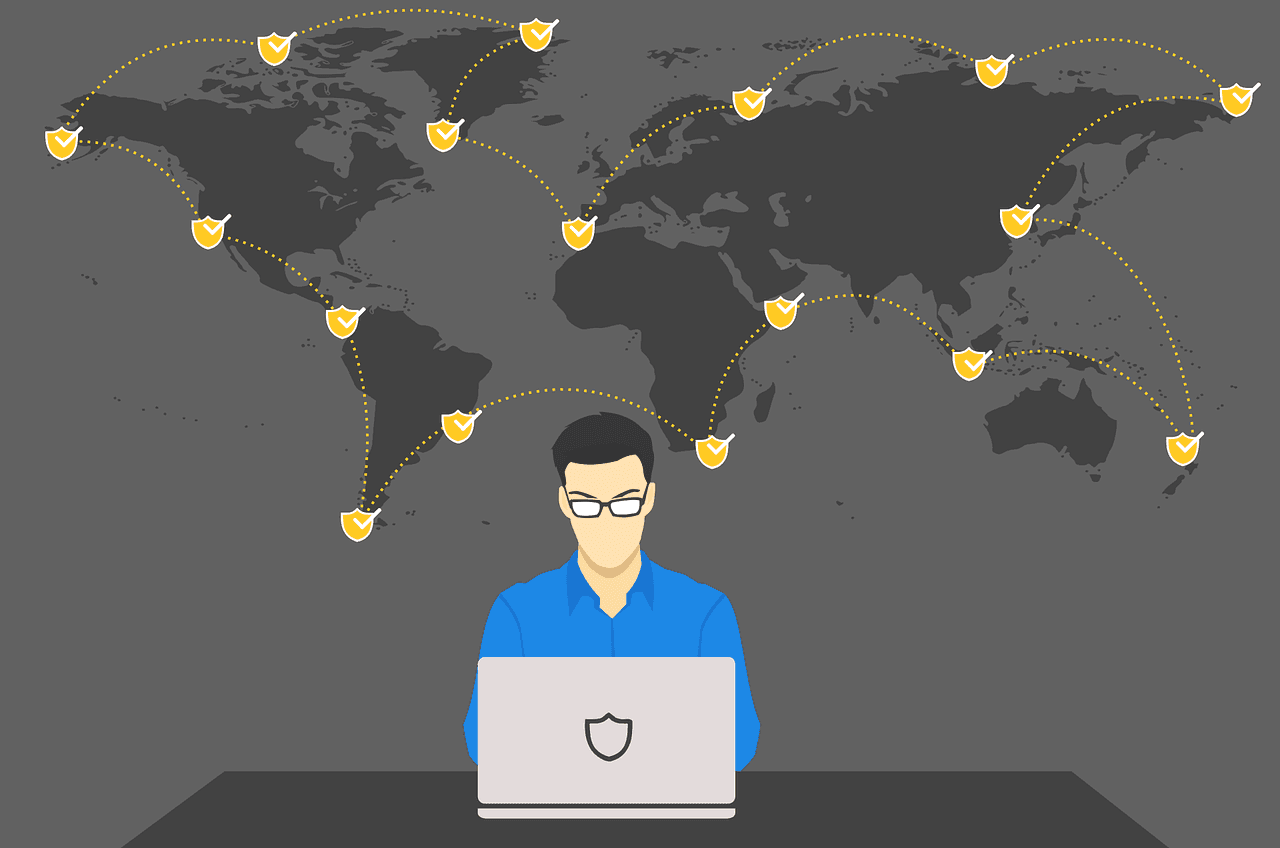
Front Running Protection – How To Configure MetaMask
Front running poses a significant problem for Ethereum users, by putting them at a disadvantage, but what if you could skip the mempool entirely?
August 28, 2024 10:33 PM
How to Migrate from MATIC to POL: Full Guide
How to update and migrate Polygon Tokens from MATIC to POL, when and why? Here is all you need to know...
June 27, 2026 4:15 PM
Coinbase Advanced 2026: A Beginner's Guide to Trading, Order Types, and Getting Started
Coinbase Advanced is a pro trading platform built into your account. Here's what it is, what you can trade, and how to get started in minutes.
May 17, 2025 11:04 AM
Best Yield Stablecoins 2025: Where to Earn Safely and Profitably
Stablecoins offer high yields with low risk. How to earn passive income and start growing your crypto portfolio? Here's all you need to know.
January 22, 2025 11:31 AM
How to Identify Fake TRUMP tokens: A Guide to Staying Safe in the Crypto World
The rise of fake TRUMP and MELANIA tokens is alarming crypto enthusiasts. Learn how to distinguish the official tokens from scams and protect your investments with this essential guide.
March 6, 2025 7:00 PM
What is Ethereum Pectra Upgrade?
Ethereum's Pectra upgrade is set to revolutionize the network with enhanced scalability, lower fees, and smart accounts. Here's all you need to know about the Ethereum Pectra upgrade.
September 23, 2026 4:21 AM

How to Check a Crypto Project: Nine Checks Before You Buy an Unknown Coin
An unknown token can be checked in half an hour, without specialist knowledge and without a subscription. These nine checkpoints run from the European MiCAR register through the spread of holdings to the exit route on selling.
May 6, 2025 4:00 AM
Crypto News Today: Bitcoin, Ethereum, and Top Altcoins in May 2025
The crypto market enters May 2025 with mixed signals: Bitcoin stabilizes, Ethereum gas fees drop, XRP nears a rebound, and Cardano eyes recovery. Here’s what you need to know.
September 15, 2022 3:52 PM
How was Ethereum Merge? Here’s a Quick Summary
In this article, we'll give you a detailed summary on how was Ethereum merge, the events surrounding the merge, and future expectations.
November 1, 2026 3:30 AM

Buying Pepe: 22.5 million PEPE for 100 euros, and the fee decides the rest
Bitvavo, Kraken and Bitpanda list Pepe with a MiCA licence. At midday on Wednesday the order books were 14 cents apart, the fees by more than a euro.
October 29, 2026 9:49 PM
Is This the End? How Low Bitcoin Could Fall After the Binance Hack
About $2.8 billion left a Binance hot wallet and Bitcoin slid below $79,000. Whether this turns into a real crash depends on one question. Three scenarios, the key price levels for Bitcoin, Ethereum and Solana and what to do now.
October 6, 2026 10:23 AM
Shiba Inu: only 55 percent of blocks are indexed, what you can do with the Shibarium figures now
Shibarium's block explorer had read in only 55 percent of blocks on October 6, and internal transactions not at all. What that leaves the transaction figures worth, and how to secure your records independently of them.
October 3, 2026 12:12 AM
Blast Shutdown: Ethereum L2 Closes After 98% Token Crash, Withdraw Your Funds Now
Blast is shutting down. The Ethereum L2 says costs exceed revenue. Here is how to withdraw from Blast before the October 26 deadline.

July 13, 2026 7:58 AM
XTB Stock Savings Plans: What They Offer and How to Start Investing
XTB offers automated savings plans on thousands of stocks and ETFs — 0% commission up to a set volume. Here's what's on the table and how to start.
March 27, 2026 9:49 PM
Gas Fee Problem: Chaos over OTHERSIDE Metaverse, What Happened?
When OTHERSIDE launched its new NFT collection, many problems occurred. What happened with OTHERSIDE NFT launch? Here's what to know.

June 4, 2025 11:00 PM
Bitget Copy Trading: How to Follow Successful Crypto Traders Step-by-Step
Bitget copy trading automatically mirrors successful traders' strategies. Here's a guide showing you step-by-step the setup, benefits, risks, and tips for choosing the right traders to copy.
April 18, 2025 8:00 PM
Complete Stablecoin Guide: How to Buy Stablecoins and Earn Steady
Whether you're looking to preserve value, participate in DeFi, or send money globally, understanding how stablecoins work is essential for any crypto user.
December 5, 2024 11:00 PM
BGB Price Prediction: Bitget Token Price UP by more than 25%
Bitget is a top crypto exchange, with its native token BGB surging over 24% in the last 24 hours. Learn why Bitget stands out, what BGB offers, and how you can get started.
More from CryptoTicker