
Solana Transaction Failed: How to Tell Whether Your Swap Actually Went Through
Across 36 Solana blocks we analysed ourselves, roughly one in three non-vote transactions failed, between 13 and 66 percent depending on the block. What the status really means, why a higher priority fee does not help, and how to check whether your swap went through.




Which topics should we dive deeper into?
Select what genuinely interests you. Your picks feed directly into our editorial planning.
Crypto news that's actually worth your time.
Weekly. 60 seconds. Carefully curated by our editors: no hype, no promo flood, no spam.
If your swap on Solana shows up red in the explorer, the short answer is this: the transaction was included in a block, but its instruction was not executed. Your balance is unchanged, the fee was charged all the same, and a second attempt is allowed. How often that happens is something cryptoticker.io measured itself on September 14, 2026: across 36 consecutive blocks of the Solana mainnet chain, somewhere between one in eight and one in two transactions failed, depending on the block.
This is neither an emergency nor a network outage. It is the normal operating state of a chain where a large share of the traffic comes from automated trading programs that deliberately lose more often than they win. For you as an investor that carries one practical consequence: a red line in the explorer almost never means something is wrong with your wallet.
Solana transaction failed: what the status actually means
A Solana transaction clears two separate hurdles. The first is inclusion in a block: a validator accepts your transaction, checks the signature and writes it into the next slot it is responsible for. The second hurdle is execution: the program being addressed works through the instruction and decides whether it is valid.
Failed on Solana always means that the first hurdle was cleared and the second was not. The transaction sits permanently in the chain, with a timestamp, a signature and an error object. That makes it something different from a transaction that never arrived: the latter does not appear in the explorer at all, because it was discarded before any validator wrote it into a block.
That difference matters more than it sounds. With Bitcoin a transaction sticks in the mempool and waits for confirmation, sometimes for hours. On Solana that state of limbo barely exists: within a few seconds it is settled whether your transaction succeeded, failed or was never picked up in the first place.
Why your balance is unchanged after a failure
Solana executes every transaction atomically. Either all the instructions inside it go through, or none do. If one instruction aborts with an error, the runtime rolls back every account change the transaction made. The swap does not happen, the tokens stay where they were.
What does not get rolled back is the fee. It is the price of validators having checked your transaction and spent compute time on it, and that effort was incurred regardless of whether the instruction turned out to be valid.
Our own measurement: how many Solana transactions failed in the sample window
For this article we analysed three separate time windows of the Solana mainnet chain on September 14, 2026, all of them in epoch 1034 around slot 446,981,000. We queried the network's public RPC endpoint and examined every single transaction in those blocks for its error object.
Validator vote transactions were stripped out of the count. They make up a large part of Solana's volume, run fully automatically and practically never fail. In our first window there were 9,390 of them, of which 36 failed, a rate of 0.38 percent. Counting them in produces a number that is meaningless for users.
What remains are the transactions that people and trading programs actually send. We analysed 17,987 of those across 36 blocks:
- Window 1, 14 blocks, 7,905 transactions: 41.9 percent failed
- Window 2, 10 blocks, 4,133 transactions: 22.0 percent failed
- Window 3, 12 blocks, 5,949 transactions: 29.6 percent failed
Across all three windows together that works out at 33.2 percent. The figure should not be read as a constant. Individual blocks came in at 13.2 percent, others at 66.1 percent, and the spread between the three windows shows how sharply the value moves within a few minutes. What holds up is the order of magnitude: roughly one in three non-vote transactions on Solana does not go through.

Why a failed Solana transaction still costs fees
The base fee on Solana is 5,000 lamports per signature. A lamport is one billionth of a SOL, so the base fee comes to 0.000005 SOL. At a SOL price of 87.79 euros on September 14, 2026 according to CoinGecko, that is around 0.0004 euros, a fraction of a cent.
In our third window a total of 0.1371 SOL went to fees. Of that, 0.0416 SOL fell on transactions that subsequently failed, a share of 30.4 percent. Converted, that is about 3.65 euros across twelve blocks, which extrapolated over a day is an order of magnitude that counts for the network and does not count for you personally.
The economic damage of a failure therefore sits elsewhere. What hurts is the price rather than the fee: if your sale fails at a given price and you resend thirty seconds later, you trade at whatever price applies by then. Anyone who fails several times in a row in a fast market pays the difference.
 Where to buy and swap Solana safely
Priority fee and failure rate: what the measurement says about the tip
The common rule of thumb says that when you run into trouble you should simply raise the priority fee. A priority fee is a voluntary tip on top of the base fee, signalling to the validator that your transaction should be processed ahead of others. In our third window we calculated the tip above the base fee for each of the 5,949 transactions and worked out the failure rate per price bracket.
| Priority tip in lamports | Transactions | of which failed |
|---|---|---|
| no tip | 1,847 | 14.0 % |
| 1 to 1,000 | 2,390 | 38.7 % |
| 1,001 to 10,000 | 1,059 | 34.3 % |
| 10,001 to 100,000 | 513 | 33.5 % |
| above 100,000 | 140 | 29.3 % |
The result cuts against the rule of thumb. Transactions with no tip at all failed least often in our window, and transactions with a small tip failed most often. Within the paying group the failure rate falls as the tip rises, yet it never drops to the level of the group that pays nothing at all.
That does not mean a tip does harm. What we are measuring here is composition rather than effect. Anyone paying a tip usually has a reason to: they are competing against other programs for the same price and accept that they will often lose the race. Anyone paying nothing is typically sending a simple transfer where there is nothing to lose. The two groups are doing different things, and that explains the gap better than the price does.
In practice this means a higher tip helps you get included at all when the chain is busy. It does nothing against an instruction that is rejected on its substance. The median tip in our window was 163 lamports, the ninetieth percentile 12,011 lamports, and 31.0 percent of all transactions paid no tip whatsoever.
Reading an InstructionError: what the error index and custom code reveal
Click a failed transaction in the explorer and you see an error object in a fixed shape, for example InstructionError: [3, {"Custom": 6001}]. It carries two pieces of information, and both are useful.
The first number is the error index: the position of the instruction inside your transaction that aborted, counted from zero. A three means the first three instructions ran through and the fourth failed. In a swap the first instructions are often preparations, such as setting the compute budget, and the actual trading instruction sits further back.
The second entry is the custom code: an error number that comes not from the network but from the program that rejected the instruction. The same number means two different things in two different programs. The most frequent codes in our first window were 11 with 631 hits, 6001 with 394 hits across two error indices, 1 with 173 hits and 7 with 124 hits.
Anchor error codes from 6000 up: why the number alone explains nothing
Some of these codes can be placed without knowing the program in question. Many Solana programs are built with the Anchor framework, and it assigns number ranges on a fixed scheme: instruction errors start at 100, constraint errors at 2000, account errors at 3000, and the program's own custom errors begin at 6000.
A code such as 6001 therefore comes from the range the program has claimed for itself. What it means in concrete terms is set out in that program's interface description, which the explorer displays alongside for programs it knows. Low codes such as 1 or 11, by contrast, mostly come from programs outside that framework, the network's token program among them.
For you that means: note down the error index and the code, but do not infer a cause from the number on its own. The explorer supplies the mapping, the number does not.

Checking transaction status yourself: signature, explorer and getSignatureStatuses
Before you repeat a transaction, establish its status. A second attempt while the first is still in flight can in the worst case leave both going through and you swapping twice.
The simple route runs through the signature, the unique identifier of your transaction. Every wallet displays it after sending, usually as a long string with a link to the explorer. Find the signature there with a green tick and the operation went through. If it shows as failed, it has definitively failed and you can safely send again.
If you cannot find the signature at all, your transaction was never included in a block. A second attempt is safe then too, because every Solana transaction carries a recent blockhash and expires once that hash is too old. The window for that is short and sits in the range of about a minute and a half.
If you need more detail, query the status from the network directly. The RPC method getSignatureStatuses in the Solana documentation returns the confirmation level for a signature and, where present, the error object. That is the same data set our measurement comes from.
Which view your wallet offers you here differs considerably. Some programs show only "succeeded" or "failed", others display the error code and the affected instruction step directly. A look at the software wallet comparison is worth it from this angle too.
 Which wallet actually shows you the error code
Slippage, blockhash and account funding: the most common everyday causes
Three causes cover the bulk of the failures retail investors actually experience.
The first is the slippage limit: the price range you still accept on a swap. Trading programs on Solana check that limit at the end of the calculation. If the price has moved further between sending and execution than permitted, the instruction aborts. That is a safeguard, not a defect. A very tight limit protects you from bad prices and raises the number of failures at the same time.
The second is the expired blockhash. Every transaction references a recently produced block and is only valid for a limited number of blocks after it. Confirm in your wallet with a delay, because you put the device down in between, and it can expire before it arrives. In that case it never shows up in the explorer at all.
The third is insufficient account funding, and not in the token being traded but in SOL itself. Every transaction needs SOL for the fee, and opening a new token account requires a minimum deposit on top. Swap all your SOL and you cannot send a single transaction afterwards. Leaving a small reserve in the account spares you that state.
If your capital comes from a trading platform, it pays before the first swap to look at which withdrawal routes your provider offers at all and what fee it charges for them. Our crypto exchange comparison ranks the common providers on those points.
Transaction format v1: what the Solana upgrade changes about this and what it does not
Since September 9, 2026 a new transaction format has been active on Solana, raising the maximum size of a transaction from 1,232 to 4,096 bytes. We described the switch and its consequences in detail beforehand. Our measurement sits five days later and shows a chain in normal operation.
The format changes little about the failure rate, and that is what you would expect. A larger transaction may contain more instructions, but that does not make it any more likely to be accepted. Whether a program rejects your swap because the price ran away does not depend on how many bytes the instruction takes up.
The next larger intervention is the Alpenglow consensus mechanism, announced for October 2026, which is meant to shorten the time to finality of a transaction considerably. Operators of their own node need to prepare for it; for you as a user the sequence does not change. The same applies here: faster finality shortens the wait, it does not turn a rejected instruction into a valid one.
Limits of the measurement: what this analysis does not show
Our survey covers 36 blocks from three time windows on a single day. That is enough to establish the order of magnitude, and it is not enough for a statement about a weekly or monthly average. The spread from 13.2 to 66.1 percent between individual blocks shows how fast the value moves.
We were also unable to determine what share of the failed transactions came from private individuals and what share from automated trading programs. That distinction cannot be drawn cleanly from block data, because both address the same programs. The widespread assessment that the bulk falls on automated arbitrage matches the pattern in our data, but we cannot prove it with this method.
The real failure rate for a person who triggers a swap now and then is therefore likely to sit well below our overall figure. How far below is an open question.
What does not change is the mechanism, and that is the actual substance of this article: inclusion and execution are two steps, only the second decides your swap, and the explorer tells you unambiguously which of the two came apart.
This analysis was compiled by cryptoticker.io on September 14, 2026.
Checking the Solana failure rate: what to take away
- Check the signature before you send again. A green tick means done, a red marking means definitively failed, no entry at all means it never arrived. In all three cases you know whether a second attempt would swap twice. Which wallet shows you the error code and the instruction step in the first place is set out in the software wallet comparison.
- Treat the slippage limit as a dial, not as a source of errors. If your swap fails repeatedly at the same point, the limit is too tight for the current market movement. Widening it means more price risk, tightening it means more failures. Anyone swapping larger amounts regularly should check trading venue terms in the exchange comparison.
- Keep a SOL reserve in the account. Without SOL for the fee and the account deposit no transaction goes through, including the one meant to fix the problem. Anyone running swaps on automation should budget that buffer in; which tools support it is shown in the trading bot comparison.
(As of September 14, 2026. This article is not investment advice. Prices and fee structures change; check the terms with the provider before you buy.)
Transparency note: This article was produced with the assistance of artificial intelligence and reviewed by our editorial team before publication. All figures and claims were checked against the primary sources linked in the text. The feature image was generated with AI.
More on Solana: All Solana news at a glance
Related articles
- BitMEX shutdown: what to check now for residual balances and your 2026 tax return
- Solana Upgrade on September 9: What the New Transaction Format Changes
- ZETA Moves to Solana: What Holders in Germany Must Check Now
- Bitcoin Transaction Stuck: How to Free It Again With RBF and CPFP
- Solana Price Prediction And Analysis Following SOL Liquid Staking
Which topics should we dive deeper into?
Select what genuinely interests you. Your picks feed directly into our editorial planning.
Crypto news that's actually worth your time.
Weekly. 60 seconds. Carefully curated by our editors: no hype, no promo flood, no spam.

August 26, 2024 8:49 AM

Solana Price Prediction: A Surge Amid SOL Declining Network Activity
Solana's price shows potential for a significant surge, but a decline in network activity raises concerns. So, what lies ahead for SOL price at the beginning of September?

September 17, 2026 4:22 AM

Solana Cuts Slot Time to 250 Milliseconds: What to Check Before Friday
On September 18 at around 05:01 UTC, Solana moves from 300 to 250 milliseconds per slot at the boundary into epoch 1037. Epochs get shorter, rewards arrive more often, and a signed transaction stays valid for only about 38 seconds.

October 18, 2026 7:18 AM
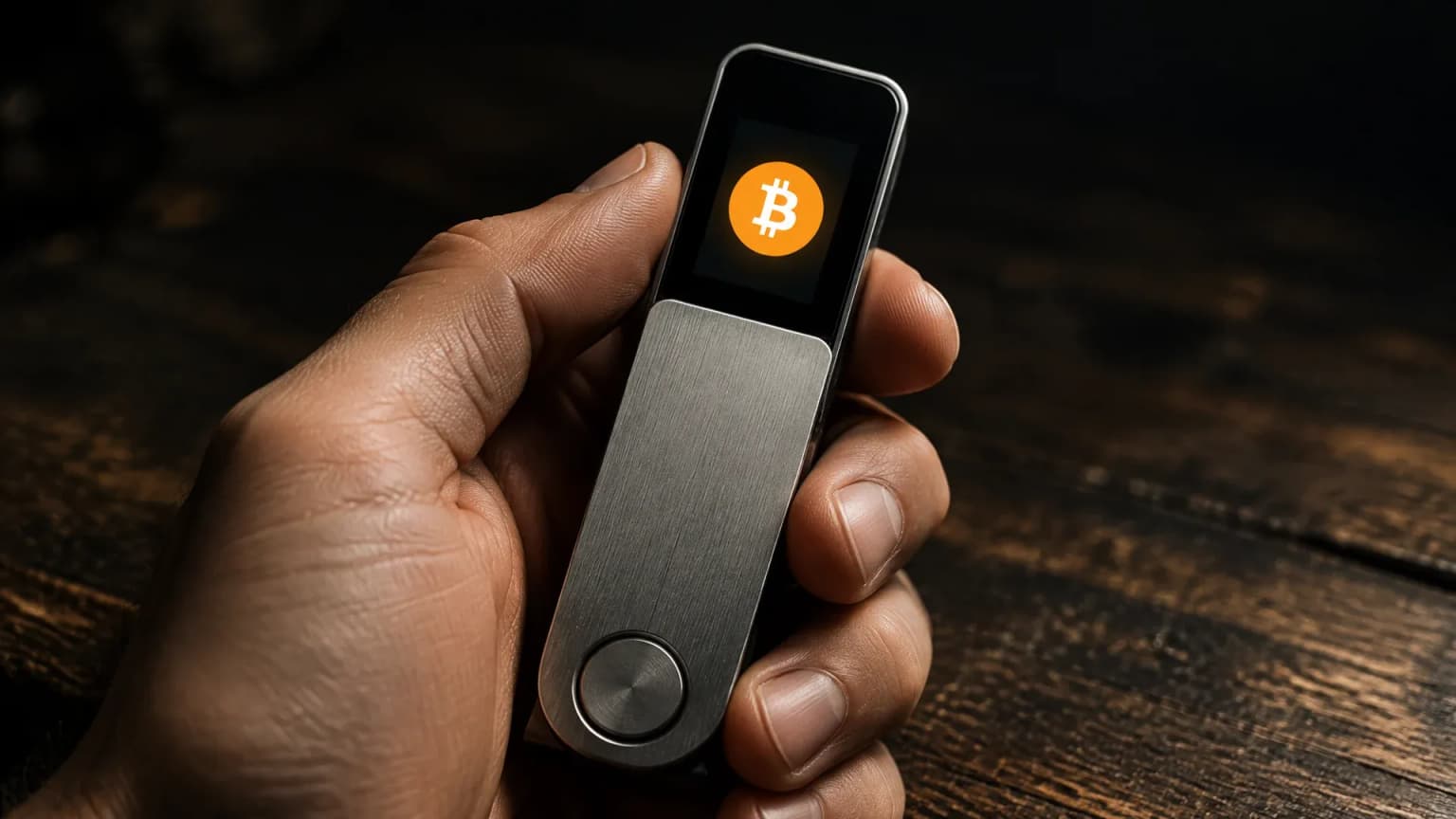
Bitcoin price at $81,685 and a one-satoshi network fee: 12 cents per withdrawal
Bitcoin is trading at around $81,685 on Sunday morning, and a transfer across the network costs as little as it rarely does: one satoshi per virtual byte, roughly twelve cents for a standard withdrawal. The mempool is anything but empty, and that is exactly what makes the picture interesting.
September 24, 2026 1:13 AM

Solana DEX Trades Overtake the NYSE: What to Check on Swaps, Tax and Oversight
Solana's decentralised exchanges settled roughly 208 million trades in a single week and overtook the New York Stock Exchange for the first time. The figure is real, but it measures something other than the comparison suggests, and for German investors it carries tax duties that no provider takes on.
September 3, 2026 4:24 AM
Crypto.com Changes Its Card Fees: From October 1 the Paid Tiers Pay a Foreign Transaction Fee Too
From October 1, 2026 the foreign transaction fee on the Crypto.com card also applies to Ruby, Jade and Indigo, and the inactivity fee rises from 5 to 6 euros a month. We checked nine card offers in the European Economic Area to see who discloses such fees at all.
June 15, 2024 2:10 PM

TOP 5 Blockchains For JUNE 2024
Despite having several key metrics commonly used to assess blockchains, here are the top 5 blockchains for June 2024, based on their largest TVL.
October 10, 2026 7:40 PM

Decentralised Crypto Exchanges (DEX): Network Fee Against Pool Fee, and Why Custody Decides
On Ethereum a swap through a decentralised exchange currently costs three to five cents in network fees, while the fee for the liquidity pool runs between 0.01 and 1.00 percent depending on the pair. That leaves both routes level on cost, and what comes afterwards decides: custody, supervision and records.
September 28, 2026 7:16 AM
Ethereum Gas at One Cent: What Gwei and Etherscan Mean for Your ERC20 Transfers
An ether transfer cost around one cent on September 27, 2026, while a swap on a decentralised exchange cost eight. This guide explains how gas is billed in gwei, what to look up on Etherscan and which three mistakes are the most common in an ERC20 transfer.
September 9, 2026 10:42 PM
Bitcoin Network Fee at 1 sat/vB: When Consolidating Your UTXOs Pays Off Now
On September 9, 2026 we analysed the fee rate of 1,105 data points from three months of Bitcoin blocks ourselves. In 90.4 percent of the points it stood at two satoshis per virtual byte or below, and that shifts the arithmetic for anyone wanting to consolidate their amounts or pull them into their own wallet.
June 17, 2024 10:59 AM
TOP 3 DEX for June 2024
What are the best DEXs to use in 2024? Here are the top 3 for June 2024!
August 8, 2024 3:57 PM

Solana Major News: Solana Back To The 4th Rank Amid SOL ETF Approval
Solana and its memecoins are under the spotlight with SOL performance leading it to surpass BNB to the 4th rank as well as getting Solana ETF approval. What's more to expect?
December 20, 2024 3:25 PM
Solana Price Prediction: Will SOL Hit $400 or Face Further Correction?
Solana price prediction shows two possible paths: a bullish surge toward $400 or a bearish decline. Will Solana overcome its hurdles and reach new heights?
December 18, 2024 9:30 AM

Solana 2025 Price Prediction as SOL Struggles to Surge: Will it Bring a Breakthrough?
Solana price faces mounting pressure, with performance trailing behind Bitcoin, Ethereum, and lately XRP. Will 2025 mark a breakthrough to a new ATH for SOL price?
July 31, 2024 10:08 AM
SOL Price Prediction: Did Solana Rank Drop Back to 5 Due To The SEC Recent Update?
Solana's rank dropped back to 5th position despite last week's surge in market cap leading it to the 4th position. Did SEC's recent updates lead to this drop?
July 28, 2024 4:04 PM
Solana Crypto Surge: How Did Solana Take Over BNB?
How did Solana (SOL) grow so fast and surge past Binance Coin (BNB) to become the fourth largest cryptocurrency? Here is how it happened...
February 4, 2026 5:28 PM
Solana Crash Below $100 Triggers Massive Long Liquidations
As of February 4, 2026, Solana (SOL) has decisively broken below the psychological $100 support level, marking its lowest price point in nearly a year.
March 24, 2025 6:00 AM

SOLANA May Be a Top Crypto Investment for April 2025, Here's WHY?
Solana is emerging as one of the top crypto investments. Here is a Solana price prediction and key levels to watch in April 2025.
October 8, 2024 9:29 AM
Solana DEX Volume Surges Before Returning to 2024 Levels
Solana’s decentralized exchange (DEX) volume experienced a dramatic surge in Q2, largely driven by the memecoin frenzy.
March 20, 2025 8:03 PM
With US Solana Futures ETF Debut, Can SOL Price Reach $500?
The first U.S. Solana Futures ETFs have officially launched, sparking speculation on whether institutional demand could drive SOL price to $500. Here is a Solana price prediction!
February 13, 2025 8:00 AM
Solana News: Franklin Templeton Expands on Solana, SOL ETF Boost, and $3B Token Unlock Concerns
What is the future of Solana (SOL) with Franklin Templeton's expansion into its ecosystem, the launch of new investment products, and growing ETF interest?
November 22, 2024 11:10 AM

Solana hits new ATH, BUT will it be THE LAST this November?
As anticipated, November did, in fact, repeat itself three years apart as Solana (SOL) hit a new all-time high above $260. But will it be SOL's last ATH?
November 11, 2024 7:13 PM

Solana Price Hits 3 Years High With New ATH CLOSER Than Ever
Solana (SOL) is closer than ever to a new ATH and 3rd position by market cap. Could it happen before 2024 ends?
September 20, 2024 10:51 AM
Token 2049 Boost Solana Pushing SOL Price Past $150, Can Solana hit $200 Next?
Solana price has soared following major announcements at Token2049, but can SOL hit $200 by October?
September 10, 2024 9:31 AM
Solana Regains Strength But Can It Push SOL Price Over $150
Solana shows signs of recovery, but can it push toward $150 or even $200? Analyzing these key technical and market factors impacting SOL’s price movement will help you predict SOL's future.
July 22, 2024 10:10 AM

Solana Price Prediction: After Surpassing $180 Mark, When Is $200?
Solana (SOL) has surged past $180, aiming for further gains. Can SOL reach the $200 target?

More from CryptoTicker